Usage-based pricing pages (62)
The 62 pricing pages here that charge by consumption, so the bill depends on what the customer does rather than on which box they tick.
Key takeaways
- Add a calculator or slider, since most of the best usage-based pages have one.
- Show the starting price and the price per unit, so visitors can work out the total.
- Offer a trial or a free allowance so people can start before they know what they'll use.
Showing 1–24 of 62 pricing pages
What the best usage-based pricing pages do
When the price depends on usage, there's no single number to put on the page. The best pages help visitors work out what they'd pay.
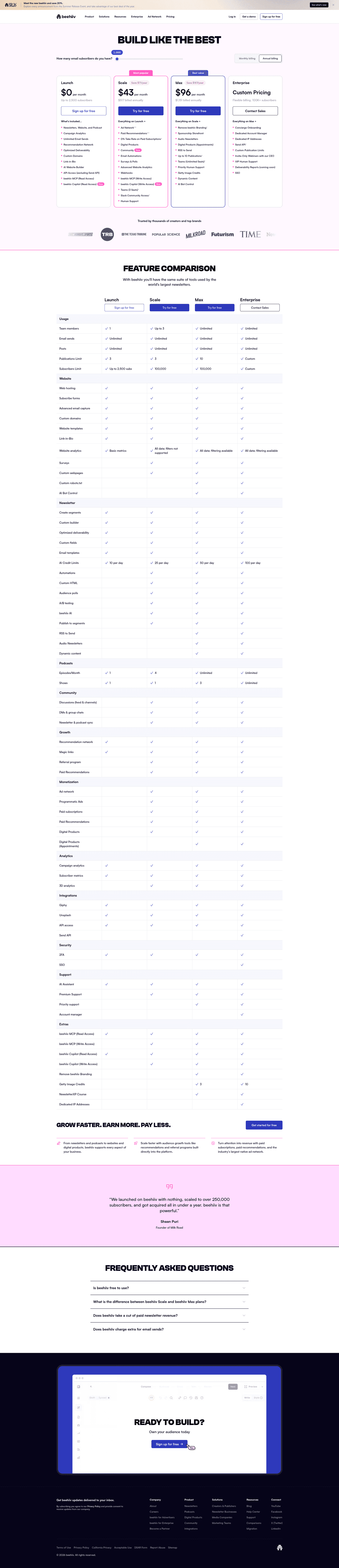
Add a price calculator
22% of the best pricing pages have a calculator or slider. A visitor moves it to the amount they expect to use and sees an actual price, so they aren't left guessing.
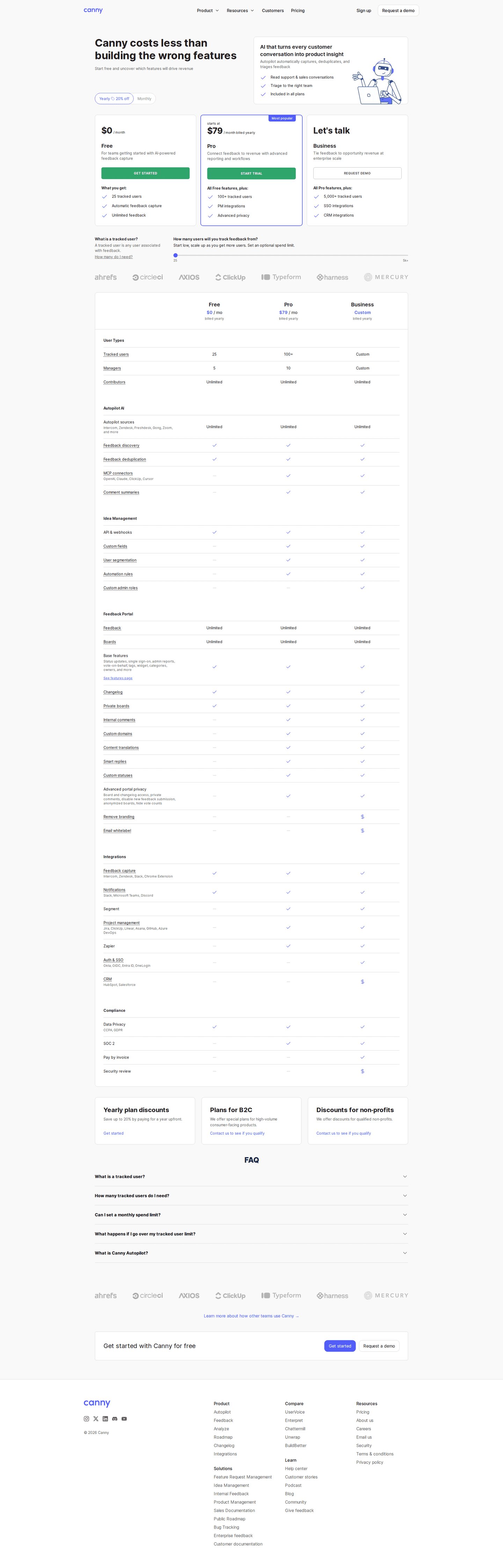
Show the base and unit price
1% of the best pricing pages hide a price. Nobody knows the total in advance, but the page can still show what it costs to start and what each unit costs after that, and visitors can do the maths themselves.
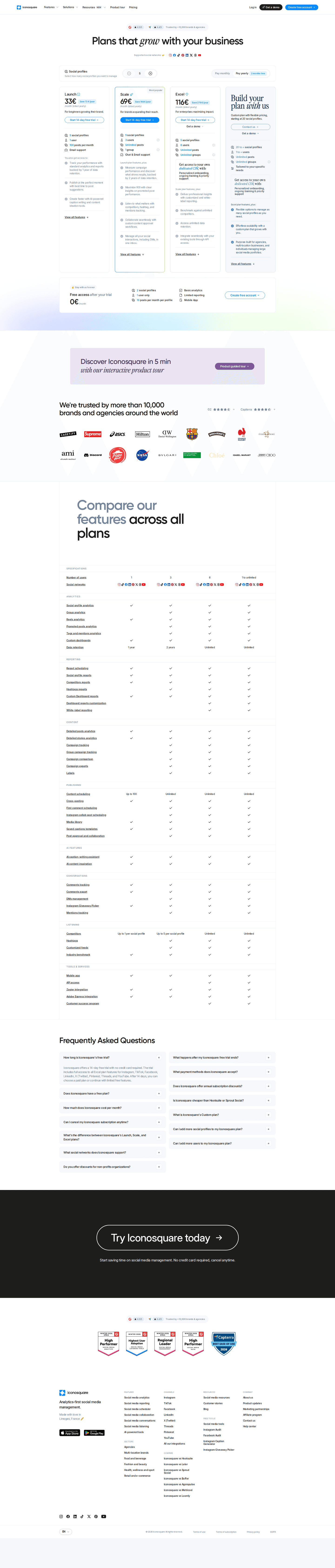
Offer a free trial
69% of the best pricing pages offer a free trial. What people worry about most is a surprise bill at the end of the month. A trial lets them see how much they actually use before they pay anything.

Curated by
Gabriel Amzallag , Founder, Web Anatomy
5 years CRO + SEO at Qonto (2021–2025). After advising 15+ SaaS on their websites (Payfit, Pigment…), the same patterns kept breaking, so I decided to build the source of truth on what works on the web: the intelligence layer every tool, builder, and team uses to ship sites that perform.
Go further than pricing pages
MCP
Section ideas, from inside your editor
Ask your coding agent for the strongest sections of a pricing page in your industry. It answers from this benchmark, section by section.
Library
The analysis behind every page here
Each pricing page on this page, section by section, with what works and what does not. Free account.
Browse more pricing pages
Pick another group below, see every pricing page, or browse the sections these pages are built from.
Can a visitor work out what your product costs them?
Paste your pricing page. Get a scored breakdown against the same best practices these pages were measured on, with the fixes ranked by impact. Free, no signup.
Usage-based pricing pages, answered
What the best pricing pages do when the bill moves, from the 62 here.
How many pricing pages charge by usage?
01A small share of the pricing pages here. Flat monthly pricing and per-seat pricing are each far more common, though newer products on this list tend to pick usage pricing.
Does a usage-based page need a calculator?
02It's about as close to a rule as anything on pricing pages. These pages have a calculator or slider far more often than the rest, and most of the best ones have one. When the price changes with usage there's no fixed number to show, so without a calculator visitors have to guess what they'll pay.
What should the page show if the total is unknowable?
03Show the two numbers that are known: what it costs to start, and what each unit costs after that. Almost none of the best pages here hide a price, even though the final bill depends on usage.
How do you stop a metered price feeling risky?
04Let people start before they can predict the bill. Most of the best pages here offer a free trial. People worry about a large invoice at the end of a month they didn't plan for, and a trial or a free allowance lets them see their own usage before they pay anything.
Do usage-based pages still need plan tiers?
05Most keep them, and the plans cover everything outside the usage charge, like support, limits, security features and who you can call. Most of the best have a comparison table that lays out what each plan includes.