Per-seat pricing pages (119)
The 119 pricing pages here that charge per seat, so the number on the card is multiplied by the size of the team.
Key takeaways
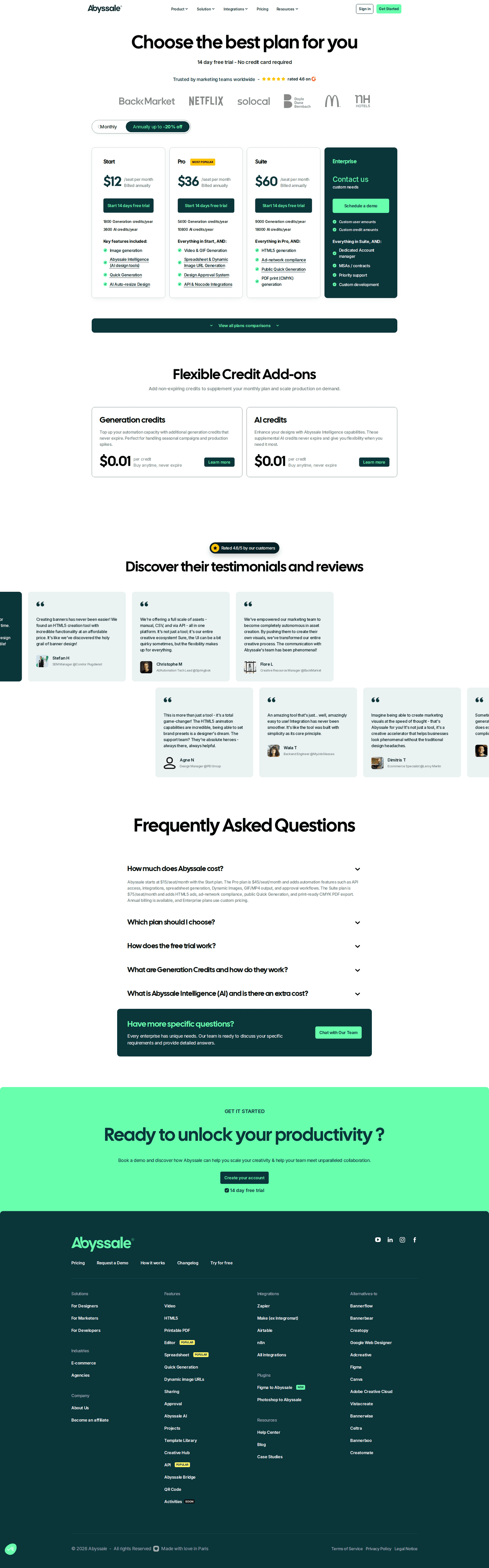
- Show the price per seat, because it's the number the buyer has to multiply.
- Add customer logos and testimonials, since the buyer is signing up their whole team.
- Offer a trial so teams can add people before they choose how many seats to buy.
Showing 1–24 of 119 pricing pages
What the best per-seat pricing pages do
The buyer has to multiply a seat price by the size of their team. The best pages make that easy and help them feel safe signing up colleagues.
Show the price per seat
1% of the best pricing pages hide a price. The buyer pays it for every person on the team, and finance will ask for the total, which nobody can work out without the seat price.

Show customer logos and testimonials
70% of the best pricing pages show customer logos, and 47% run testimonials. Buying seats means signing up your colleagues too, and seeing which companies already use the product makes that easier to justify.

Offer a free trial
69% of the best pricing pages offer a free trial. During a trial the buyer can invite a few colleagues, see who keeps using it and pick the seat count from that.

Curated by
Gabriel Amzallag , Founder, Web Anatomy
5 years CRO + SEO at Qonto (2021–2025). After advising 15+ SaaS on their websites (Payfit, Pigment…), the same patterns kept breaking, so I decided to build the source of truth on what works on the web: the intelligence layer every tool, builder, and team uses to ship sites that perform.
Go further than pricing pages
MCP
Section ideas, from inside your editor
Ask your coding agent for the strongest sections of a pricing page in your industry. It answers from this benchmark, section by section.
Library
The analysis behind every page here
Each pricing page on this page, section by section, with what works and what does not. Free account.
Browse more pricing pages
Pick another group below, see every pricing page, or browse the sections these pages are built from.
Can a buyer work out what their team costs?
Paste your pricing page. Get a scored breakdown against the same best practices these pages were measured on, with the fixes ranked by impact. Free, no signup.
Per-seat pricing pages, answered
What the best pricing pages put beside a price that multiplies, from the 119 here.
How common is per-seat pricing?
01Very common. Charging per user is tied with a flat monthly fee as the most common model on the pricing pages here. It fits products a team uses together, and that's most of the products on this list.
What does a per-seat page have to be clear about?
02The price per seat. None of the best pages here hide a price, and no other pricing model does better on that. If visitors can't see the seat price they can't estimate the total, and the total is what their finance team will ask about.
Why does proof matter more on a per-seat page?
03Because the buyer is signing up their colleagues as well as themselves. Many of the best pages here run testimonials and most have a logo wall, both well above the average for pricing pages. Rolling a tool out to twelve colleagues puts the buyer's reputation on the line, and seeing named customers makes that feel less risky.
Should a per-seat page offer a trial?
04These pages offer one more often than pricing pages on other models. It's hard to size a team licence from a feature list. With a trial, the buyer can add three colleagues, see whether they log in again, and choose the number of seats based on what happened.
What about the things that are not per seat?
05Say clearly which charges are per seat and which aren't, in the table or next to the price. Some of the best pages here have a separate add-ons section. If per-account extras are tucked under a per-seat headline, buyers only find them at checkout.