Pricing|
An interactive calculator turns usage-based or seat-based pricing into a real number before a buyer ever contacts sales; these 15 examples show how the best pricing sections let visitors plug in their own volume and see the cost.
Key takeaways
Showing 1–15 of 15 examples
Browse every pricing pattern by UX best practice, or jump to an industry view.
Every pricing section is scored across 8 conversion best practices. Copy the best practice stack, not the layout. See what converts and why.
Hand-picked from {companies} companies and analyzed by our AI conversion agent. Not a random dump of pricing tables. Every entry earns its spot.
Found a pricing table you admire? Run yours through the same scoring engine. See where you stand on the same best practices, and what to fix first.
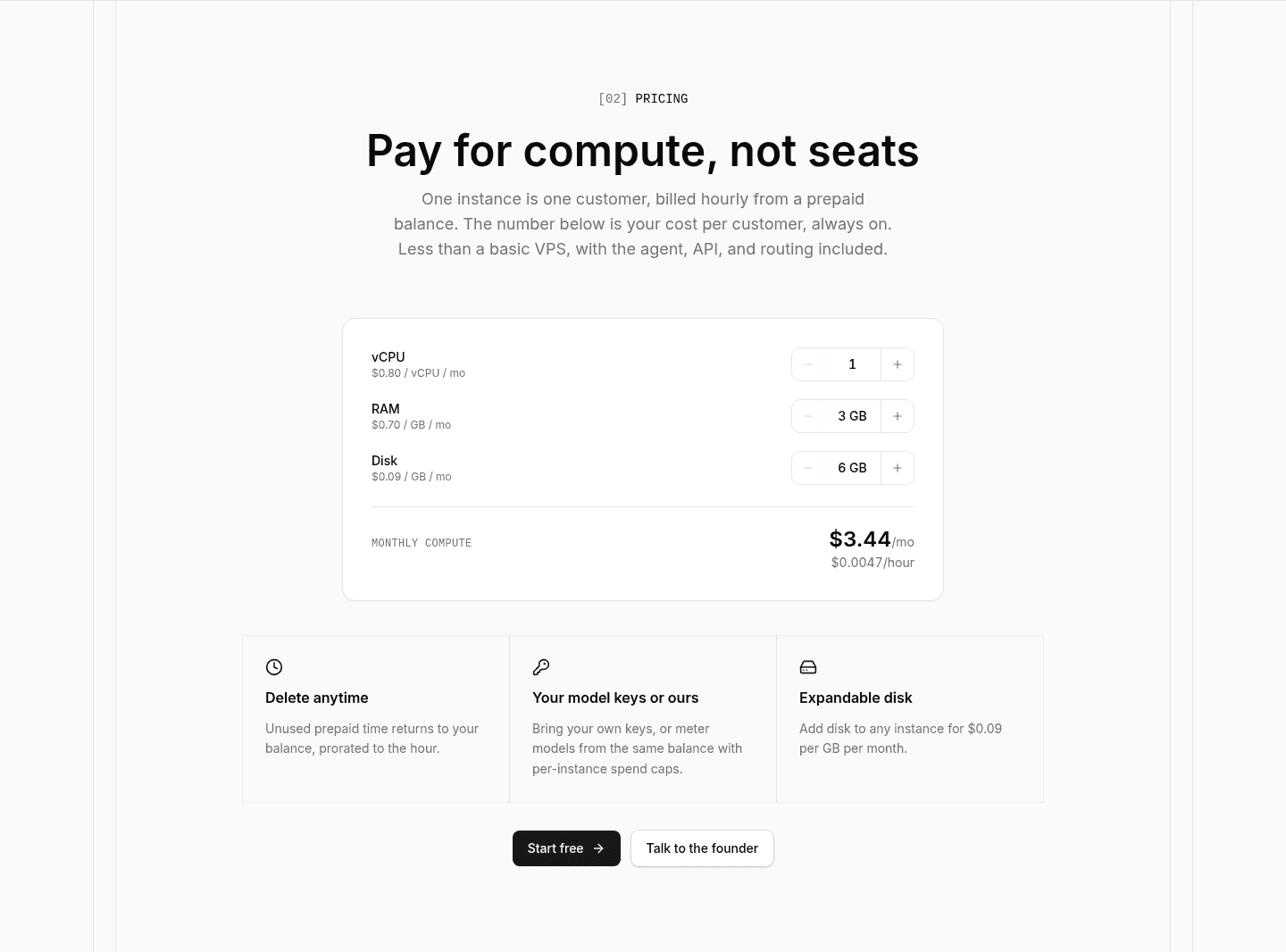
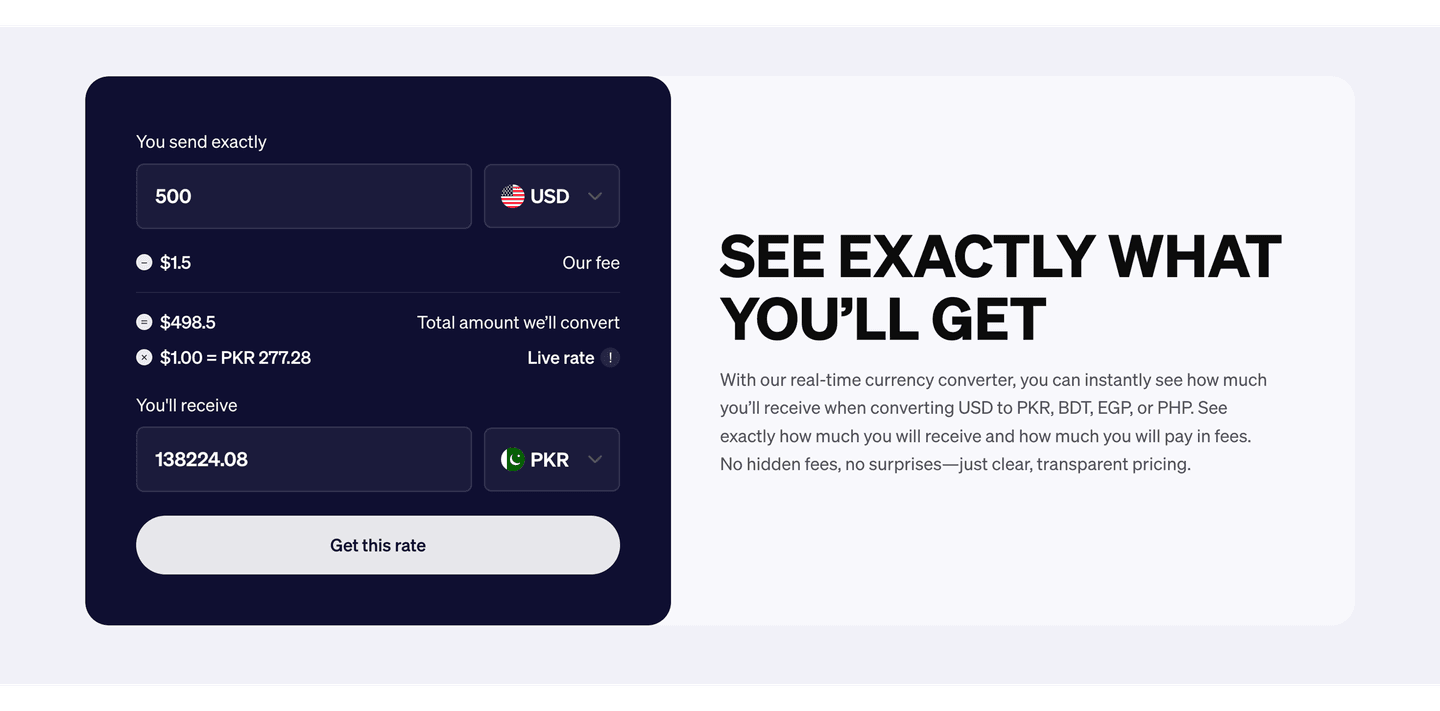
A pricing calculator or estimator is an interactive control inside the pricing section that lets a visitor enter their own numbers and watch an estimated price respond. The point is not decoration, it is to answer the one question usage-based and seat-based pricing always raises: what will this actually cost me? Instead of leaving the buyer to multiply a per-unit rate in their head or wait for a quote, the section does the math in front of them.
A few concrete forms show up again and again, and the strongest examples pick the one that matches how they charge:
Usage-based pricing is abstract until a buyer sees it in their own numbers. A rate like a few cents per unit reads as reasonable, but the visitor still cannot tell whether their volume lands at fifty dollars a month or five thousand. Left to do that math themselves, many will not; they leave to think about it, or they wait for a sales reply that may never get answered. An estimator removes the guesswork by turning the rate into a figure the buyer can act on right away.
It also does quiet qualifying work. A visitor who has already dialed in their usage and seen an estimate that fits their budget reaches the call to action with most of their doubt resolved. And a buyer whose numbers push the estimate high learns, on their own, that they belong in an enterprise conversation, so the calculator sorts self-serve and sales-led buyers before either one has to ask.
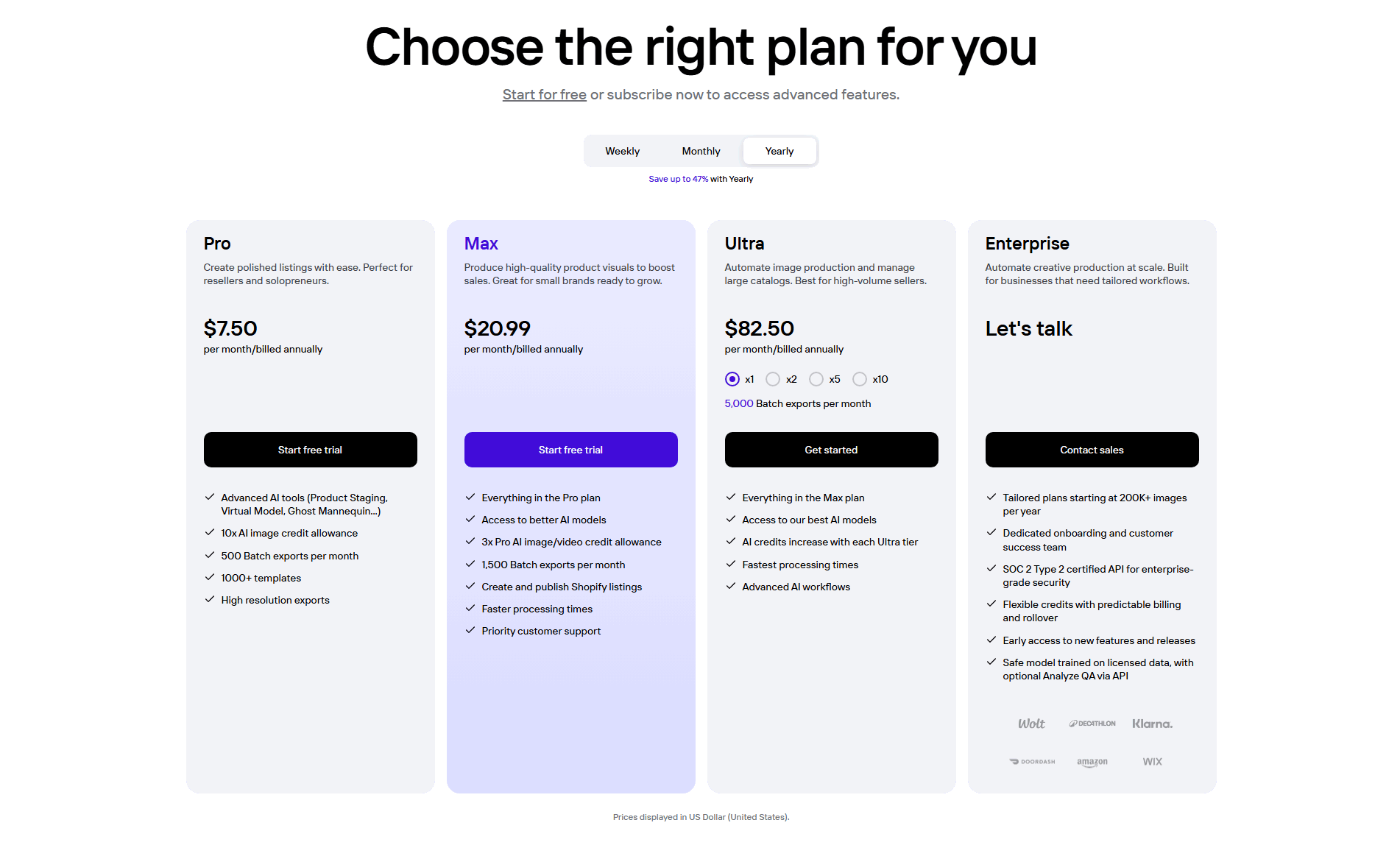
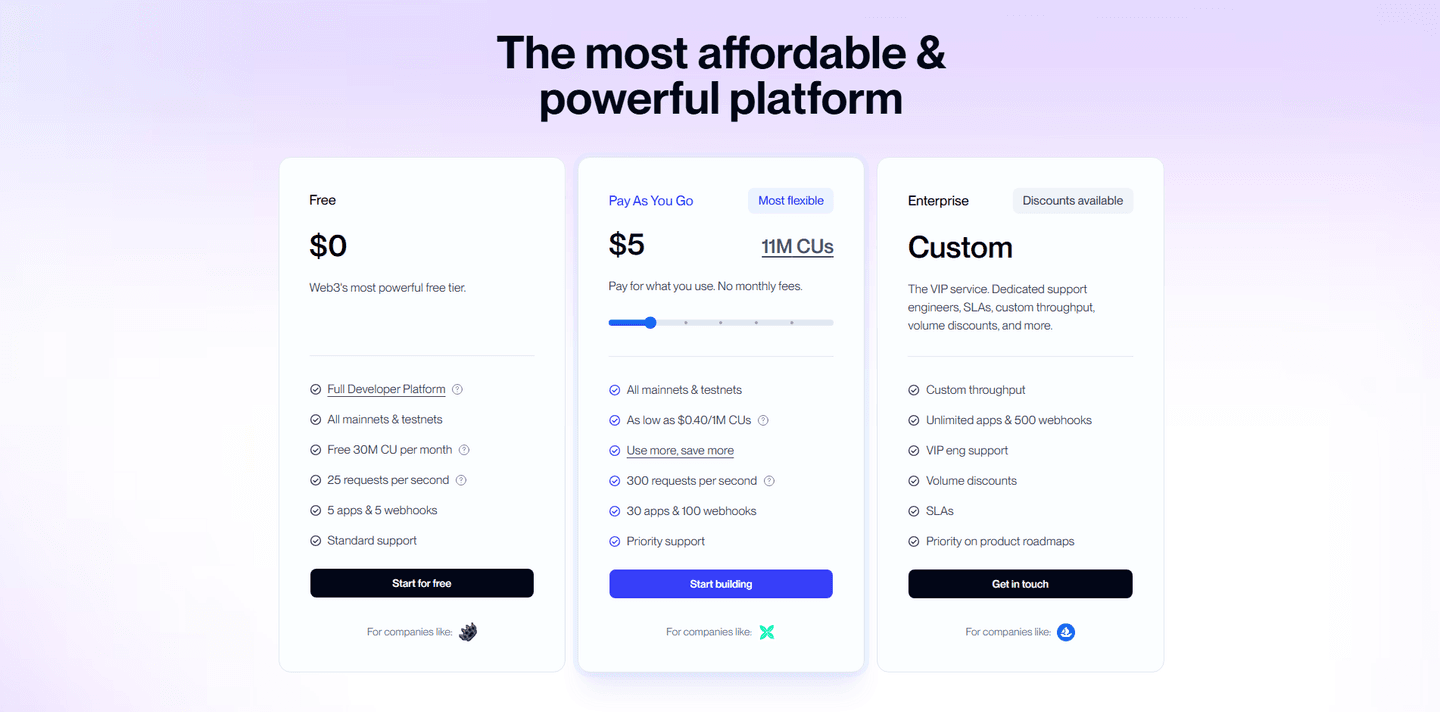
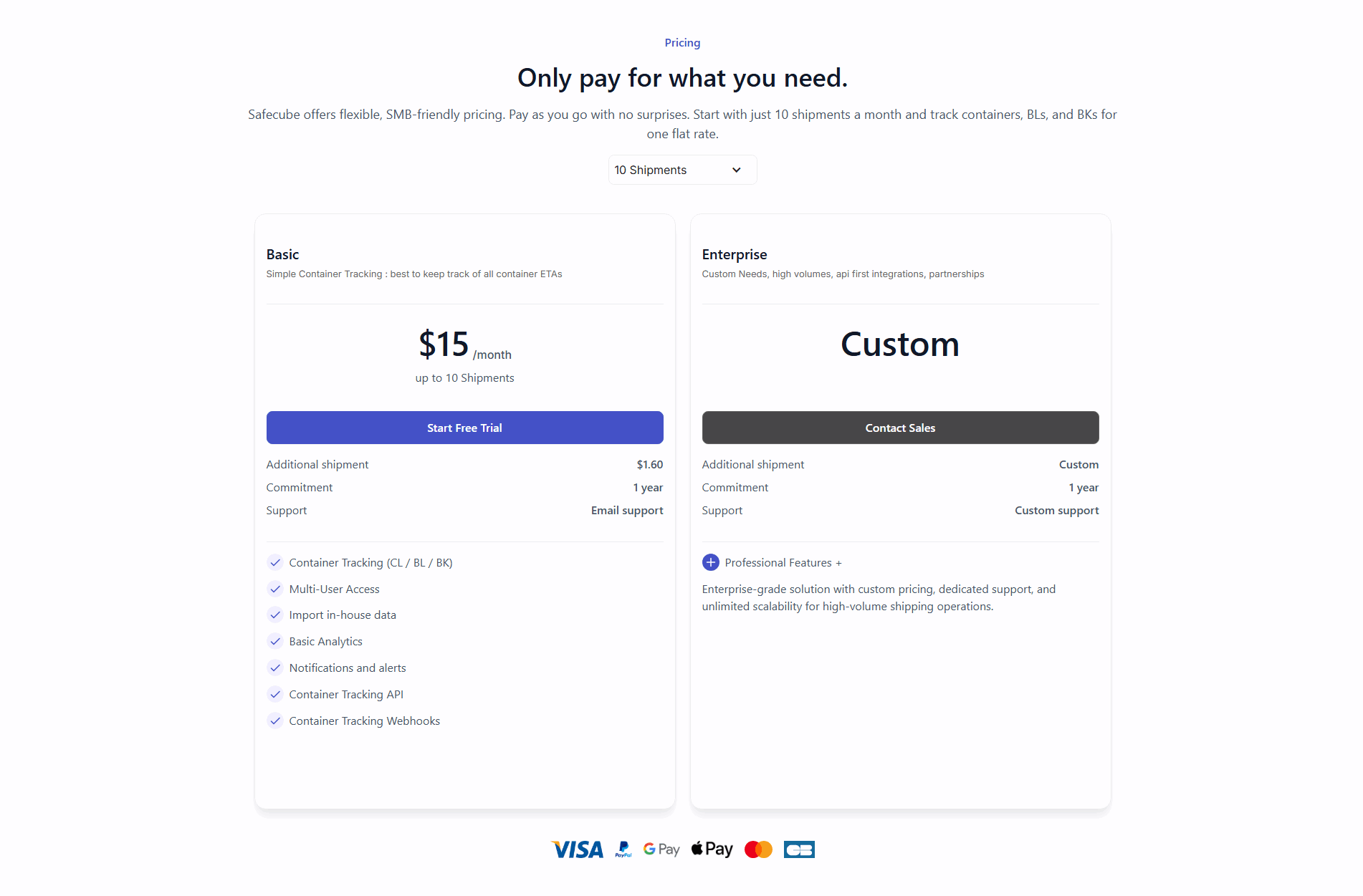
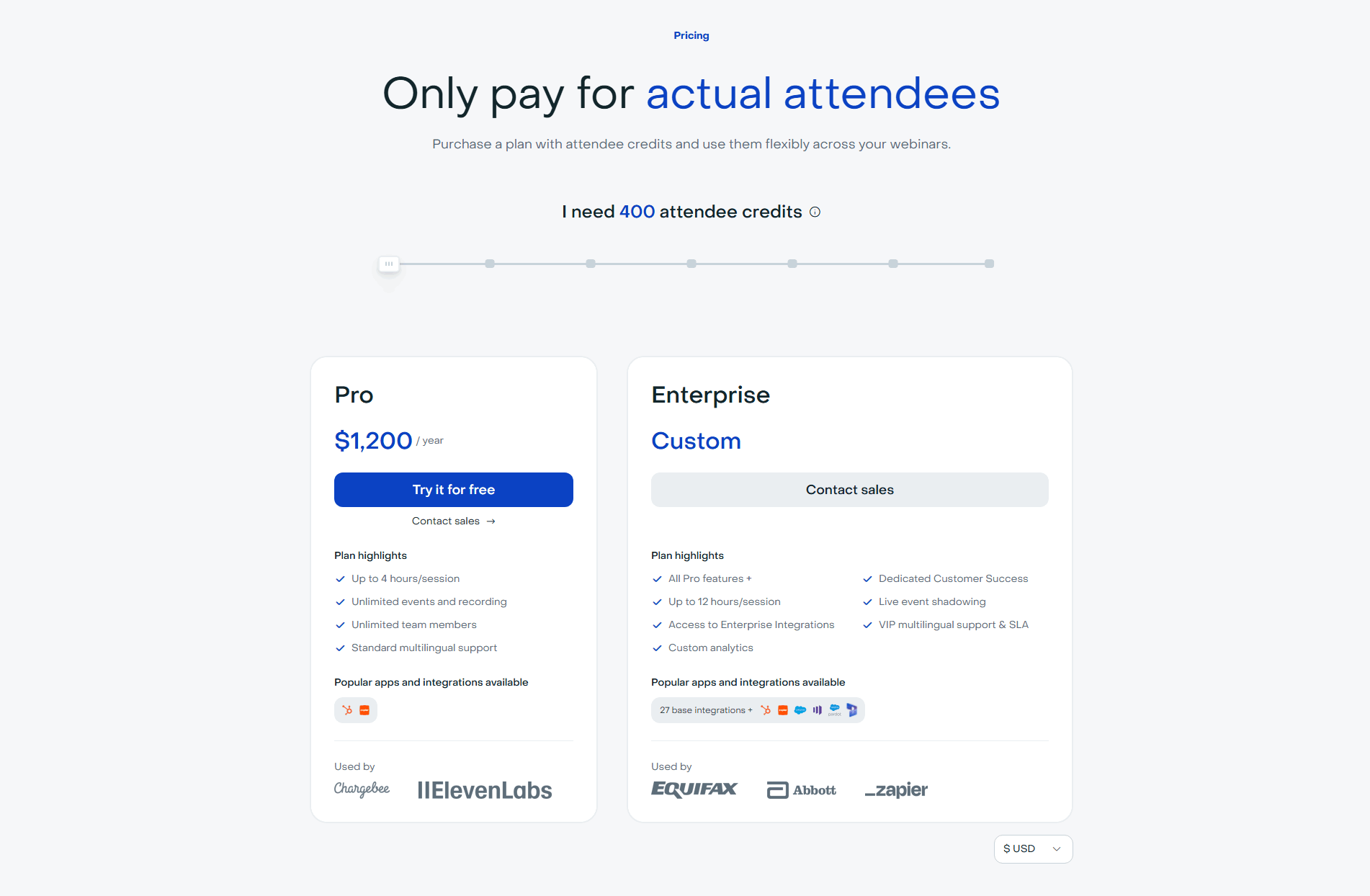
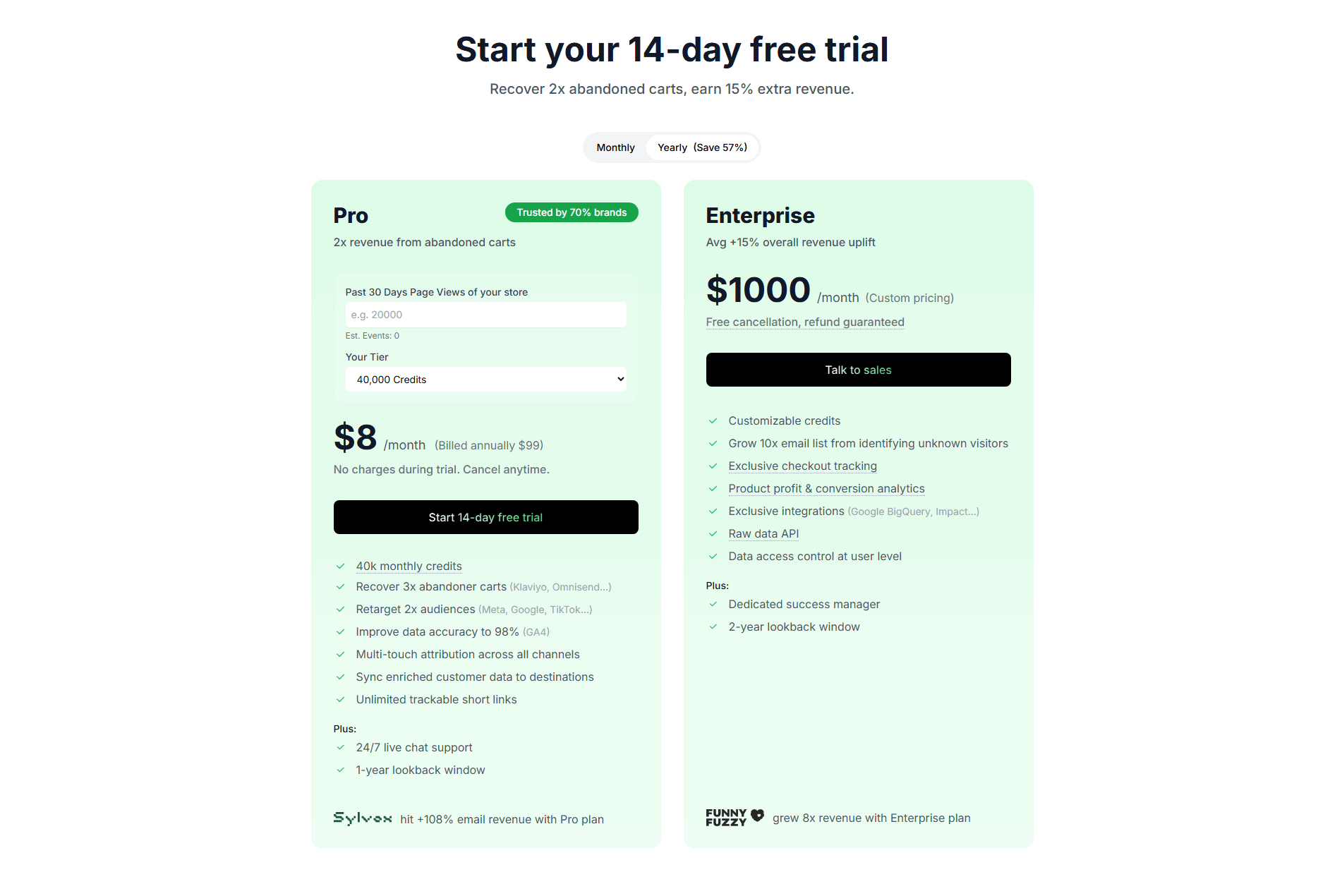
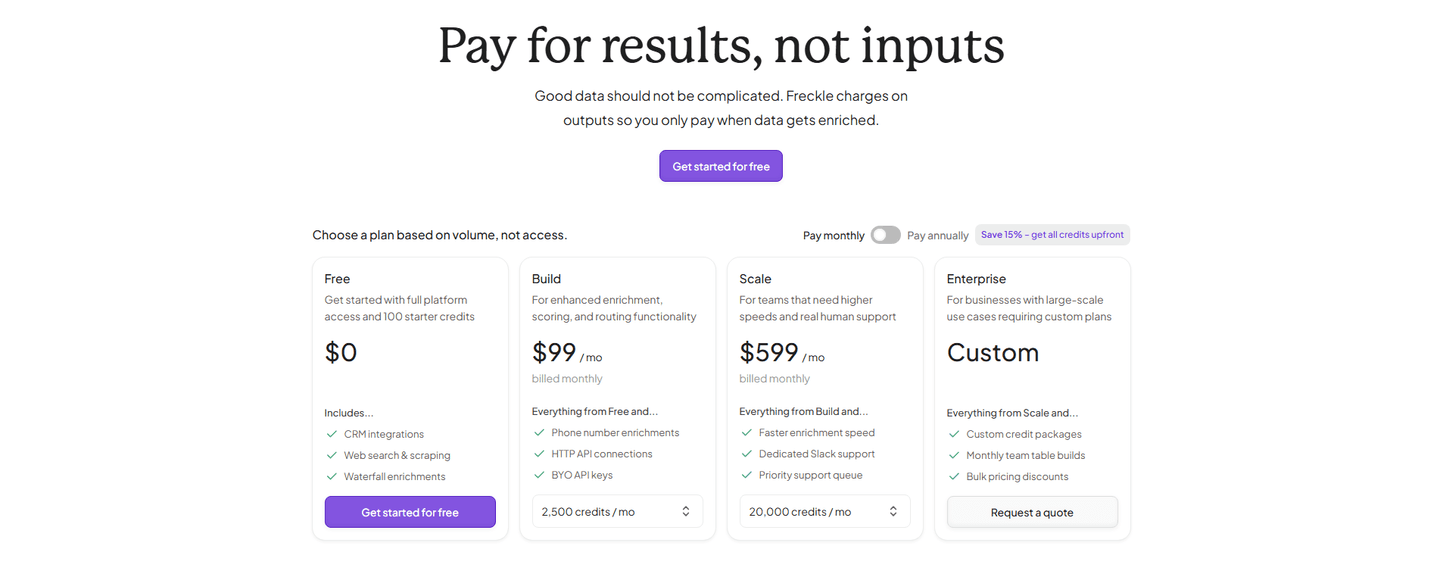
About one in seven of the scored pricing sections in our library include an interactive calculator or estimator, so it is still a distinguishing move rather than a default. Across the scored examples below, the ones that work share a discipline: the estimate is live, transparent, and honest. Alchemy's usage slider recalculates in real time as the buyer moves it, and Attribuly's live estimator projects cost from page views and credit tier before the buyer pays. The clearest sections keep the per-unit rate on the card next to the estimate, the way Safecube spells out an additional-shipment rate beside its shipments picker, so the number never feels like a black box. And they start from a realistic default rather than an unusually low one, so the estimate a buyer sees first is close to what they will actually pay.
An estimator rarely does the work alone. It reads best next to transparent per-unit and usage-based pricing that backs up every number the calculator produces, and a clear enterprise contact path for the high-volume buyers whose estimates run past the self-serve tiers.
100/100 0/100
0/100The usual failure is a calculator that hides the rate it is built on: the price moves, but the buyer cannot see the per-unit cost driving it, so the estimate feels arbitrary. The second is gating the number, forcing an email or a sign-up before the estimate appears, which turns a moment of reassurance into a wall. The third is a default set unrealistically low, so the first figure a visitor sees under-sells the real cost and sets up sticker shock at checkout. Show the rate, let the estimate update freely, and start from a number a real buyer would actually enter.

Curated by
Gabriel Amzallag , Founder, Web Anatomy
5 years CRO + SEO at Qonto (2021–2025). After advising 15+ SaaS on their websites (Payfit, Pigment…), the same patterns kept breaking, so I decided to build the source of truth on what works on the web: the intelligence layer every tool, builder, and team uses to ship sites that perform.
Paste your URL. Get a scored analysis of your pricing section, including whether a visitor can estimate their own cost before they leave. Free, no signup.
The common questions about interactive pricing calculators, with answers drawn from 15 scored examples.
It is an interactive control inside the pricing section that lets a visitor enter their own numbers, seats, usage, or volume, and see an estimated price update in response. The common forms are a usage slider, a quantity stepper, a volume dropdown, and a plan multiplier. Alchemy puts a usage slider on its middle plan that estimates cost across compute units, and Livestorm uses an attendee-credit slider so a buyer prices their own event before choosing.
Usage-based and seat-based pricing is abstract until a buyer sees it in their own numbers. A per-unit rate on its own leaves the visitor to do the math, and many will not; they leave to think about it or wait for a quote. A calculator does that math in front of them, so the price stops being a question and becomes a figure they can act on. It also pre-qualifies: a buyer who has already seen an estimate that fits their budget arrives at the CTA with far less hesitation.
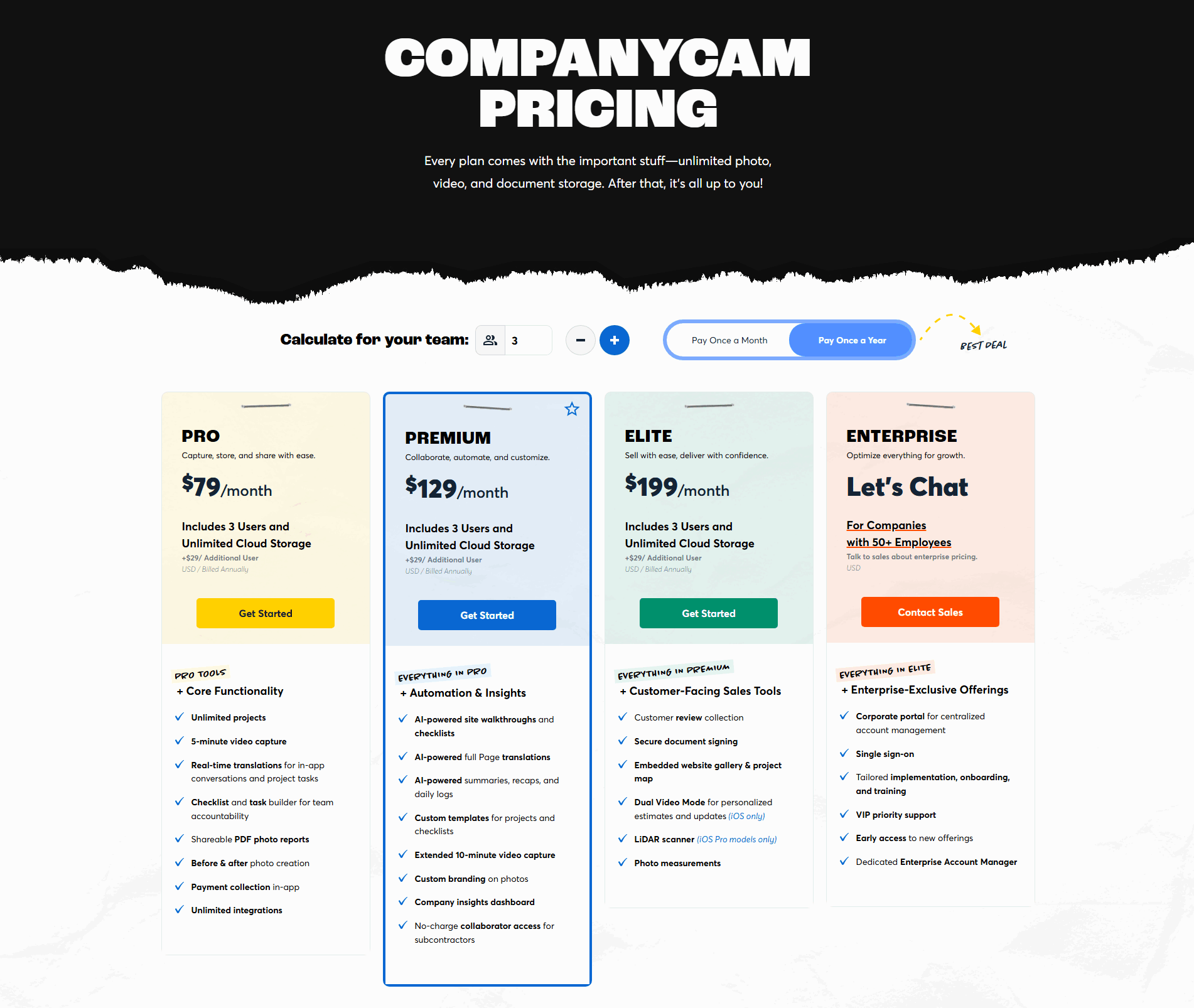
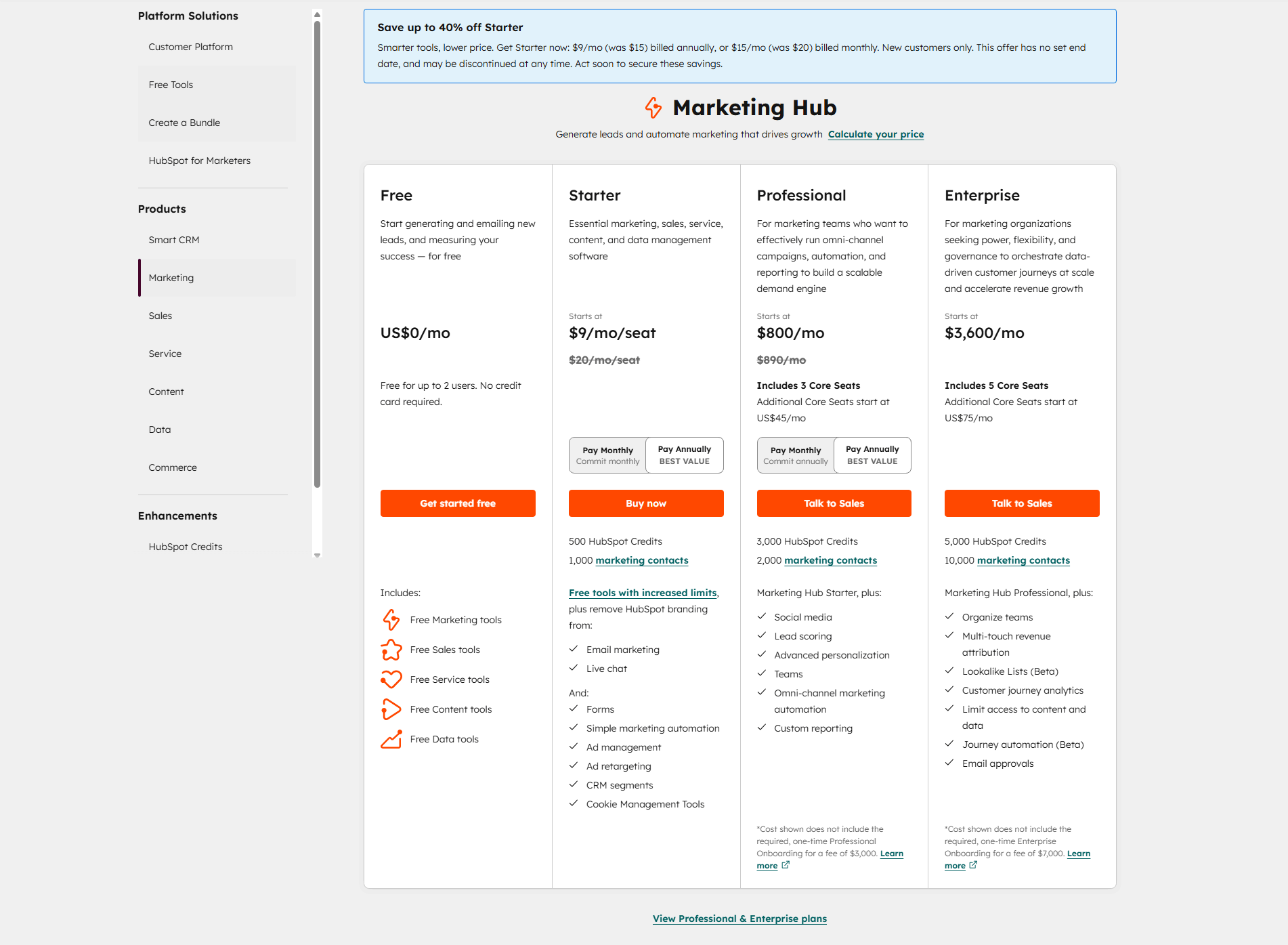
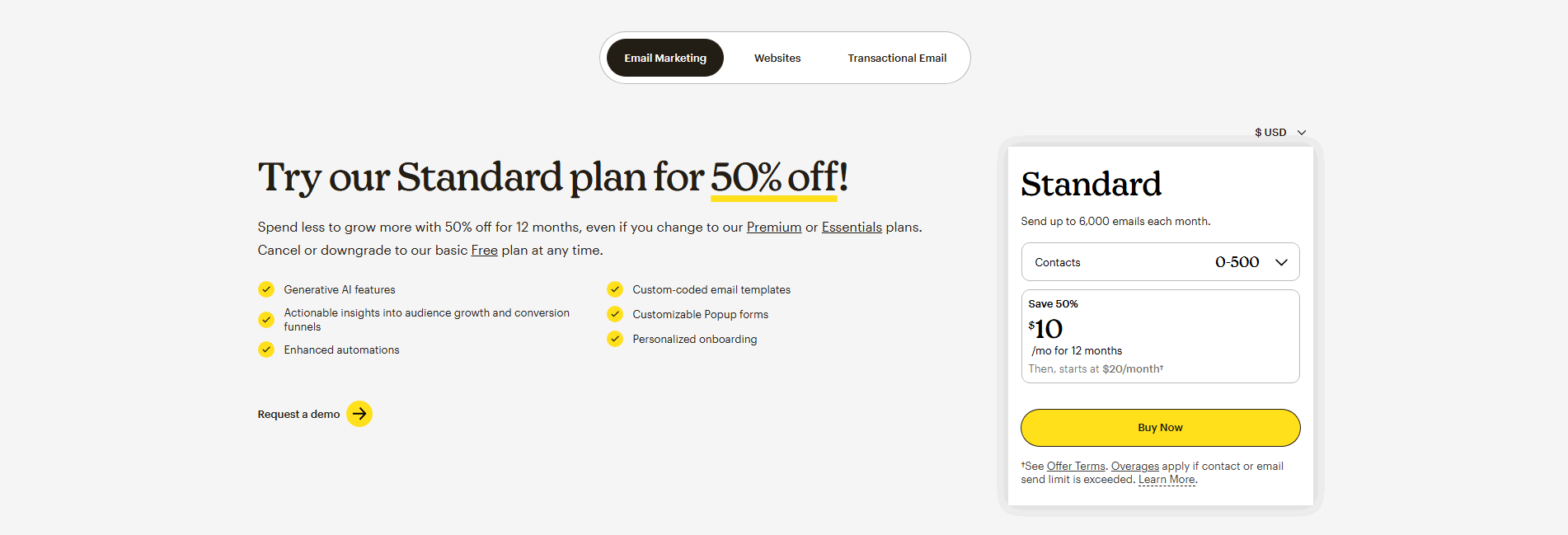
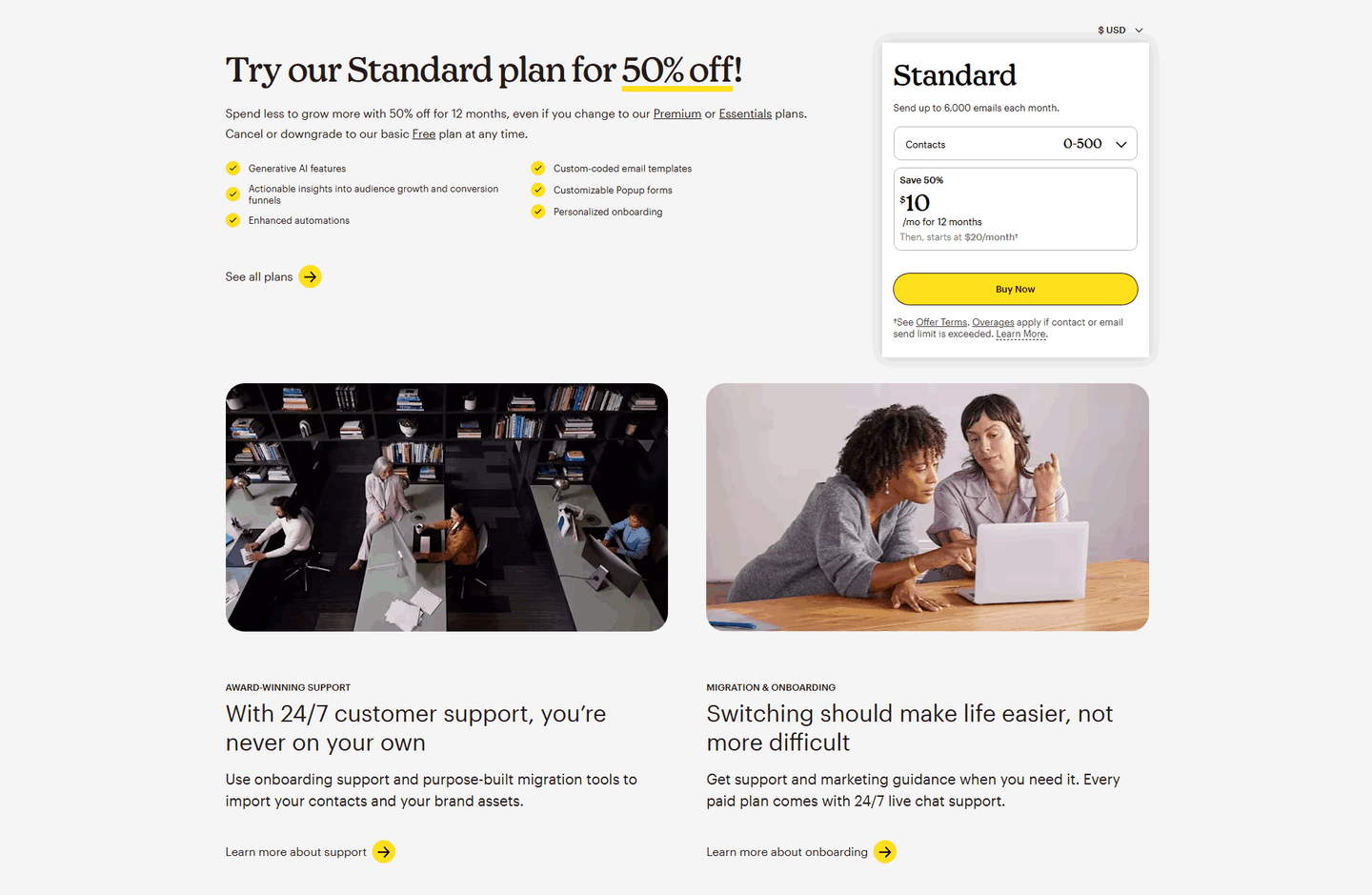
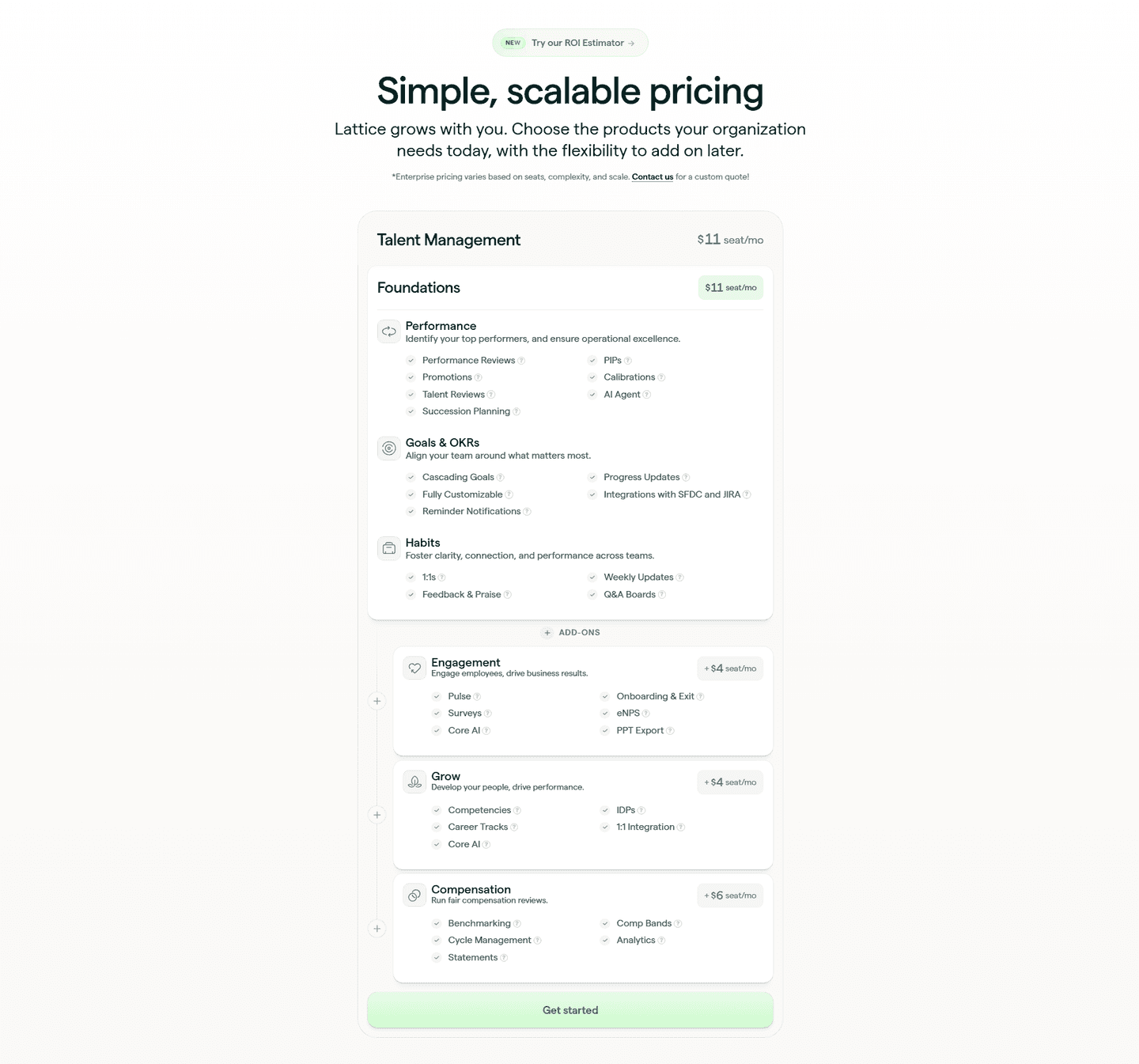
Whenever the price depends on something the buyer controls: seats, contacts, credits, shipments, API calls, or any other unit of usage. Flat monthly plans do not need one. But when a single plan can cost very different amounts depending on volume, a static number either overstates the price for a small buyer or understates it for a large one. An estimator lets each visitor see the figure that applies to them. CompanyCam sizes its plans to a team, and Mailchimp scales the displayed price by contact tier.
Three things. It recalculates live on the card, so the buyer sees the effect of their input immediately rather than after a form. It shows the per-unit rate alongside the estimate, so the math is transparent instead of a black box, the way Safecube lists an additional-shipment rate next to its shipments picker. And it starts from a realistic default, not an unusually low one that under-sells the real cost and creates sticker shock later.
No, they route buyers to the right path faster. A self-serve buyer gets an estimate and checks out without a call. A high-volume buyer sees the number climb and understands why an enterprise conversation makes sense, so the calculator and a contact-sales path work together rather than competing. Livestorm and Safecube both pair a self-serve estimate with a custom enterprise route for buyers whose usage runs past the self-serve tiers.