
TL;DR
- Choose a small number of dream accounts. This play earns attention through relevance, not scale.
- Build one template, then create variations. Keep the structure stable and change the parts that prove the page was made for that company.
- Put personalization above the fold. The team photo, company identity, and direct hook should make the intent obvious immediately.
- Keep the outreach message short. Let the page carry the detail.
In 2020, the companies I really wanted to join were not hiring interns. I built a landing page for each of them anyway.
I contacted three companies. All three replied. Two found a way to work with me, and one of those conversations led to four years at Qonto.
That is why I still like the outbound landing page as a one-to-one sales play. It gives one dream client, an unresponsive prospect, or a potential partner a reason to stop and look.
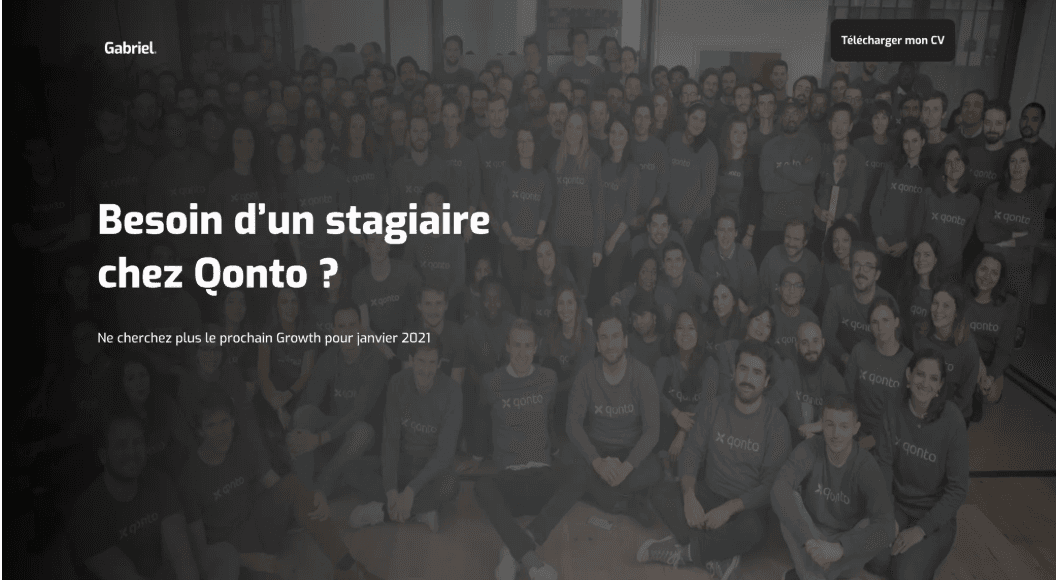
I built everything by hand at the time. The process took far too long, but the principles still hold. Here is the exact workflow I used, what I personalized, and what I would change in the message today.
How to build an outbound landing page
1. Identify the target companies and contacts
I started by looking for companies with a culture I wanted to join. There was no scraping or automated list building. I checked LinkedIn, selected 20 companies, and found one relevant contact at each: usually a Growth Manager or Marketing Director.
I then split the list into batches of three.
There were two reasons. Each personalized sales landing page took time to build, and I wanted feedback from one batch before starting the next. My first three companies were Alan, Qonto, and Lemonade.
This constraint matters. A one-to-one landing page works because the prospect can see the effort. If you try to send 500 barely customized pages, you remove the reason to click.
2. Create one template with room for variation
I could not find anyone using landing pages for this exact job-search use case, so I benchmarked designer portfolios instead. I selected five websites with strong structure, sections, and copy, placed screenshots side by side, and wrote down what I wanted to reuse.
Today, I would use the same process with a broader reference set. Web Anatomy's design library lets you compare real pages and sections before choosing the patterns that fit the account and the offer.
The structure of my template was simple:
- A direct hook: “Are you looking for an intern?”, next to a photo of the team.
- A short presentation of me and what I could contribute.
- Testimonials from previous jobs.
- An FAQ that answered the objections I expected.
- One CTA to download my CV.
For a sales campaign, the same structure becomes: a prospect-specific hook, the outcome you can create, relevant customer proof, answers to likely objections, and one next step.
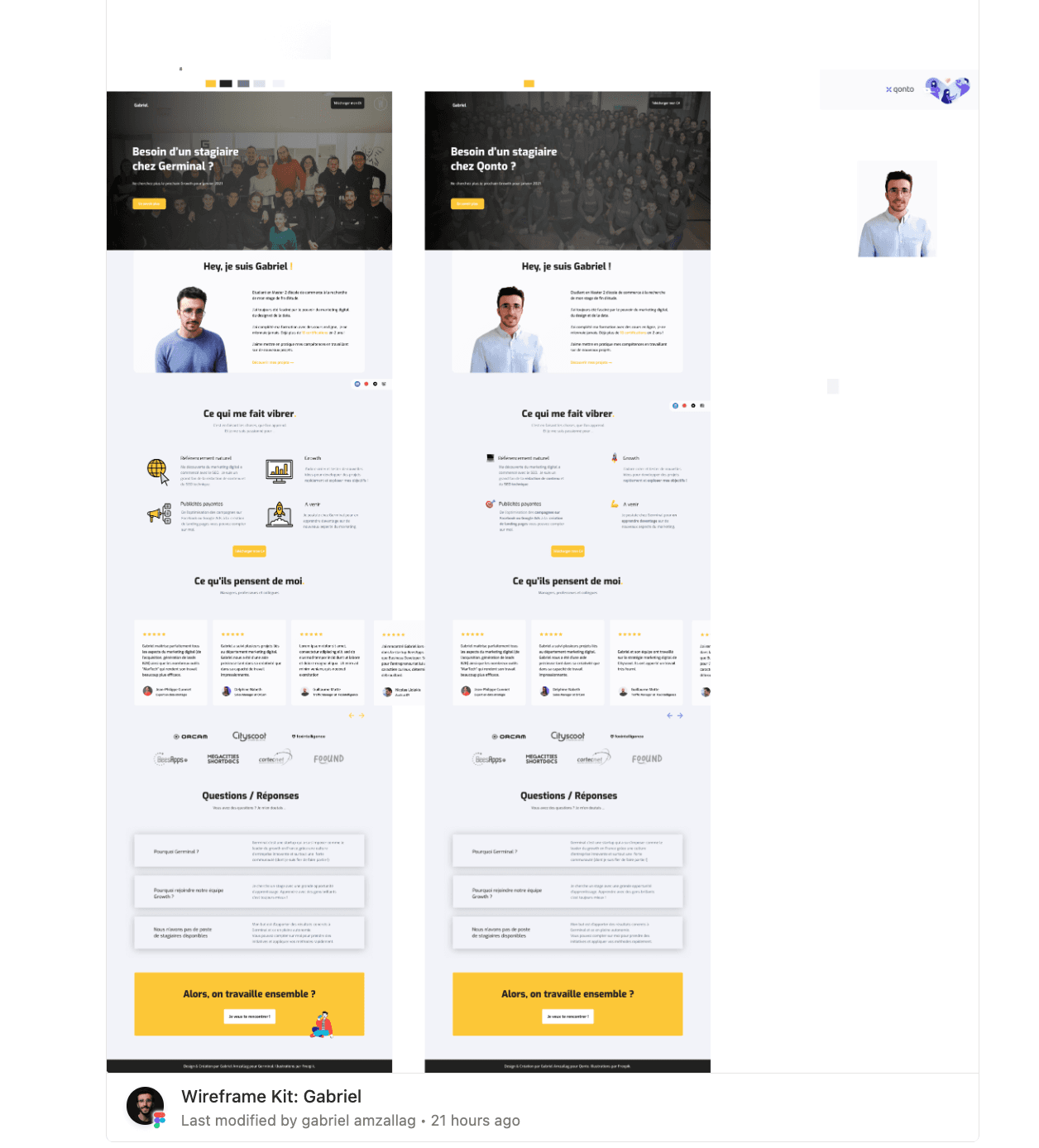
I designed the template in Figma and built it in Webflow. The structure stayed consistent; the company-specific material changed.
3. Personalize the elements that establish relevance
Before changing the page, I listed the information I could collect and asked where each detail would matter.
I could access:
- the company's core colors, fonts, and visual style;
- photos of the team from LinkedIn or its website;
- context such as open roles, growth priorities, or market expansion.
The team photo and design system went above the fold. I wanted the reader to understand in a second that this was made for them.
I used the introduction and FAQ to answer three objections:
- “Why you?” I explained my skills and what I had done for previous clients.
- “We are not hiring interns.” I positioned myself as someone who could take ownership and learn fast, not as an extra person to manage.
- “Why our company?” I explained what I liked about the company and how I could support its growth strategy.
I adapted the colors, fonts, and imagery, then bought a separate domain for each company, including je-veux-travailler-pour-qonto.com. The domain is no longer active.
Each page cost about €10 and took roughly a week. That is an extreme amount of work for cold outreach, but it also explains why the result did not feel like cold outreach.
4. Let the page do the explaining
I sent each page to the growth leader I had identified on LinkedIn.
My original message was bad: the hook was weak, the tone was too formal for a startup, and the page link was buried at the bottom.
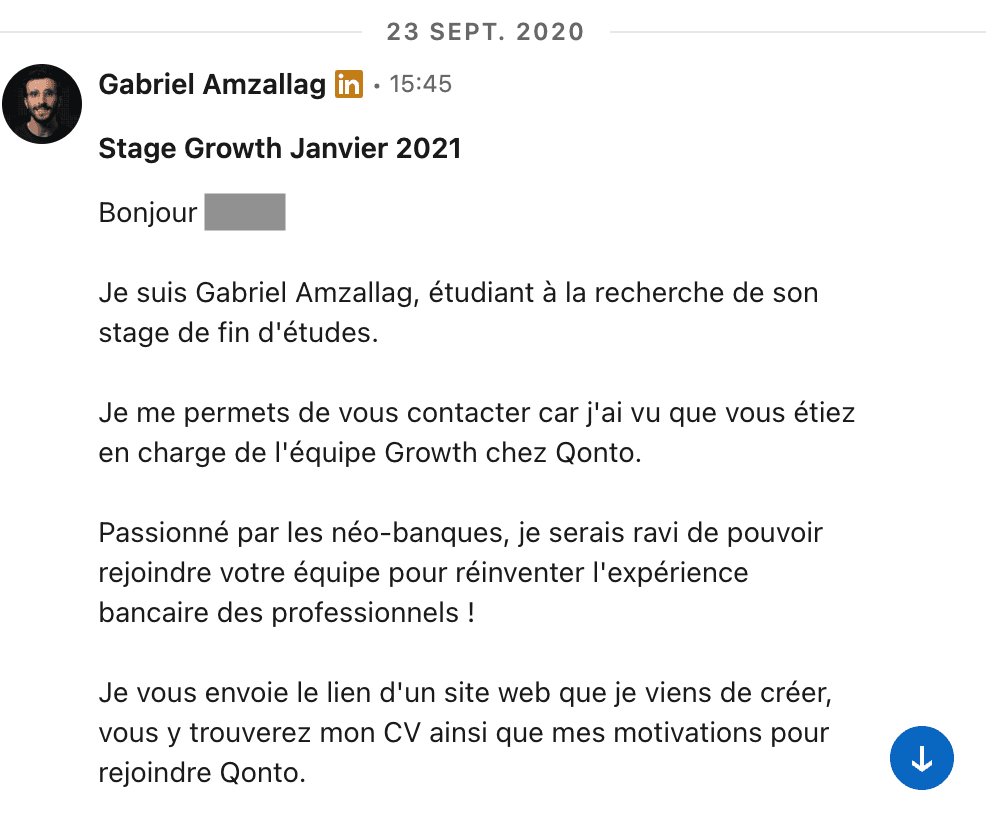
Today, I would send this:
Hi [name], I built you a website: [link]. One page that tells you why I'm the perfect fit for Qonto. Would love to get your thoughts. Gabriel
Three lines, the link, and one reason to click. The outbound landing page holds the proof and the detail, so the message does not need to.
The results: three replies and one four-year role
All three companies replied without a follow-up.
- Lemonade offered me freelance SEO work, but my school required an internship.
- Alan checked internally and confirmed that it could not hire an intern.
- Qonto was not hiring interns either, but the team found a suitable role. I ended up working there for four years.
Two useful opportunities from three pages is a strong result. It is also a result from a tiny, personal campaign, not a benchmark you should project onto every outbound program.
How to adapt the play for sales or partnerships
You probably are not looking for an internship. The person on the other side of the page can change while the method stays the same.
Use an outbound landing page when the value of one relationship justifies real research: a dream client, a strategic account, a partner, or a prospect who understands your offer but has stopped replying.
Start with three accounts. Build one template, personalize the hook and proof, answer the objections you expect, and send a message short enough to create curiosity.
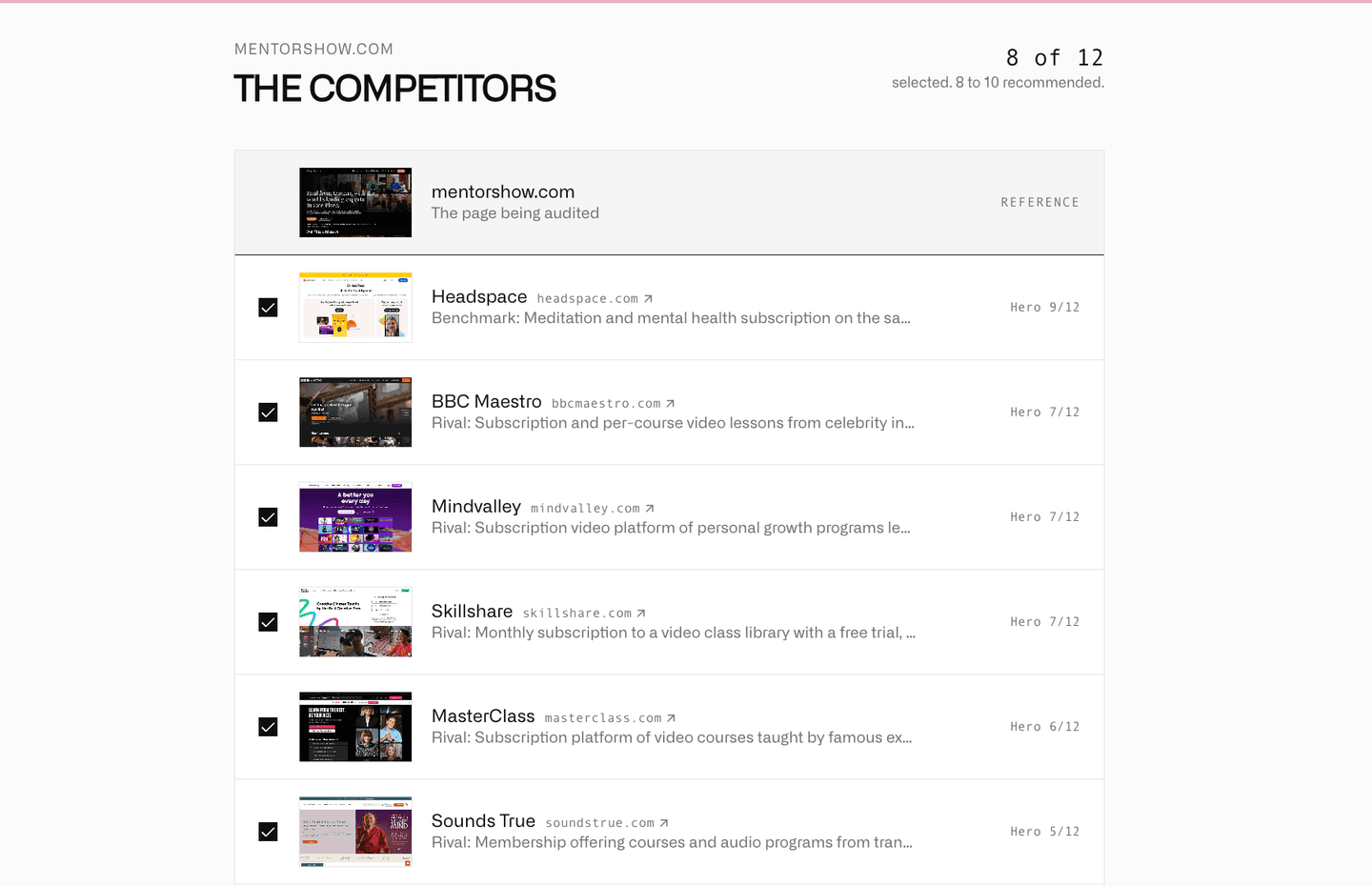
If you want to compare your template with the pages your prospects already see in their market, run a competitive website audit.
Adapted from Outbound with a landing page, originally published in the Web Anatomy newsletter on September 9, 2026.

Written by
Gabriel Amzallag , Founder, Web Anatomy
5 years CRO + SEO at Qonto (2021–2025). After advising 15+ SaaS on their websites (Payfit, Pigment…), the same patterns kept breaking, so I decided to build the source of truth on what works on the web: the intelligence layer every tool, builder, and team uses to ship sites that perform.
More from the blog
Playbooks
We analyzed the ads the top lead generation companies run. Here is what works.
Which lead generation ads keep running in 2026, which angles they use, and the landing pages behind them. The key takeaways, with the ads to look at.
 Gabriel Amzallag22 min read
Guides
Landing page personalization: 4 use cases you can build with AI
A practical workflow for landing page personalization: build one template, collect useful visitor data, define content rules, and apply four proven use cases with AI.
Gabriel Amzallag6 min readPlaybooks
We analyzed the ads the top consumer app companies run. Here is what works.
Which app ads keep running in 2026, the eight angles they use, and the pages behind them. The longest-running campaign is a quiz, and almost no ad sends people to an app store.
Gabriel Amzallag22 min read