
TL;DR
- A traditional CMS stores the content and builds the page. WordPress, Webflow and Wix work this way.
- A headless CMS only stores the content. The site that shows it is separate code, which makes it fast and lets one source feed several screens.
- AI is taking the editor part. Chat-first builders like Lovable grew fast, and the CMSs answered with MCP connectors that let you edit from Claude or ChatGPT.
- You may not need a CMS at all, if you are a small tech team. You do if you have live data, thousands of pages, or people who should never touch GitHub.
Khod is a Webflow Certified Partner. In July, the agency moved its own 180-page site off Webflow, to Next.js and Sanity.
Two months later, at Webflow Conf in Boston, Webflow announced Source: a new platform where the site lives in code. The visual editor Webflow is famous for is no longer the centre of its own product.
Webflow was the tool everyone pointed to as ahead of the curve. On AI, it has struggled to land anything agentic, and Source reads like the answer.
Webflow used to be the perfect stack for a tech website: a visual editor, a CMS, hosting. AI is taking the editor part. So the question is worth asking again for the rest: do you still need a CMS today? And if you do, headless or traditional?
How CMSs evolved, and why we needed them
To understand where we are now, you have to understand the context CMSs appeared in and how the demands on the web changed.
The static web (1990s)
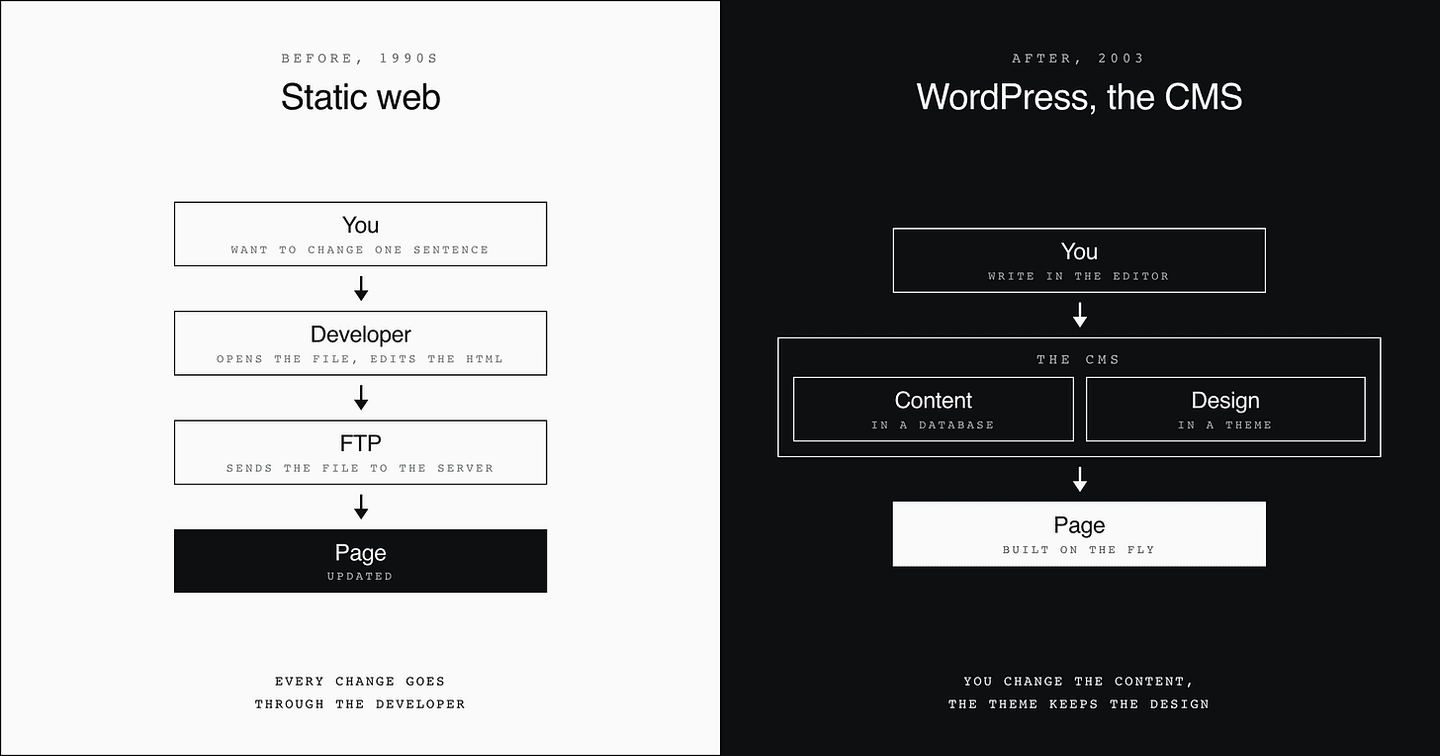
At the very beginning of the web, websites are complex to build and to maintain. To change one sentence, you open the page's file, edit the HTML and send it back to the server over FTP.
Which means that even a small change goes through the developer.
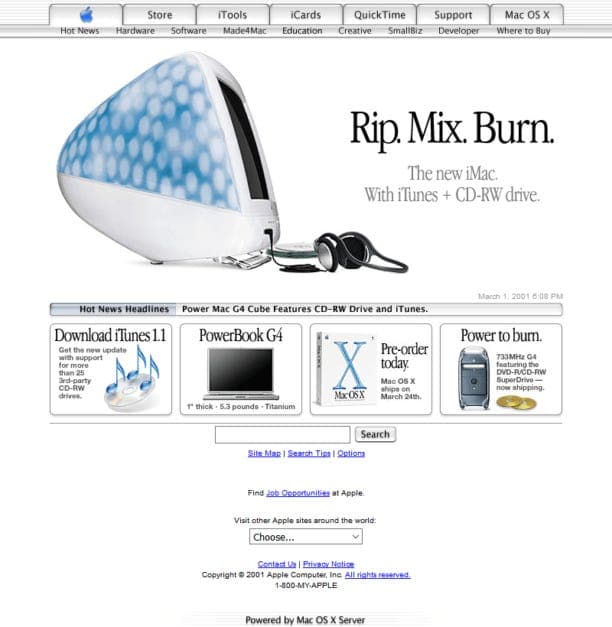
Yes, that really is Apple's website.
The WordPress revolution (2003)
WordPress arrives in 2003 and separates the design (themes, and later the page builders Divi and Elementor) from the content, which now lives in a database.
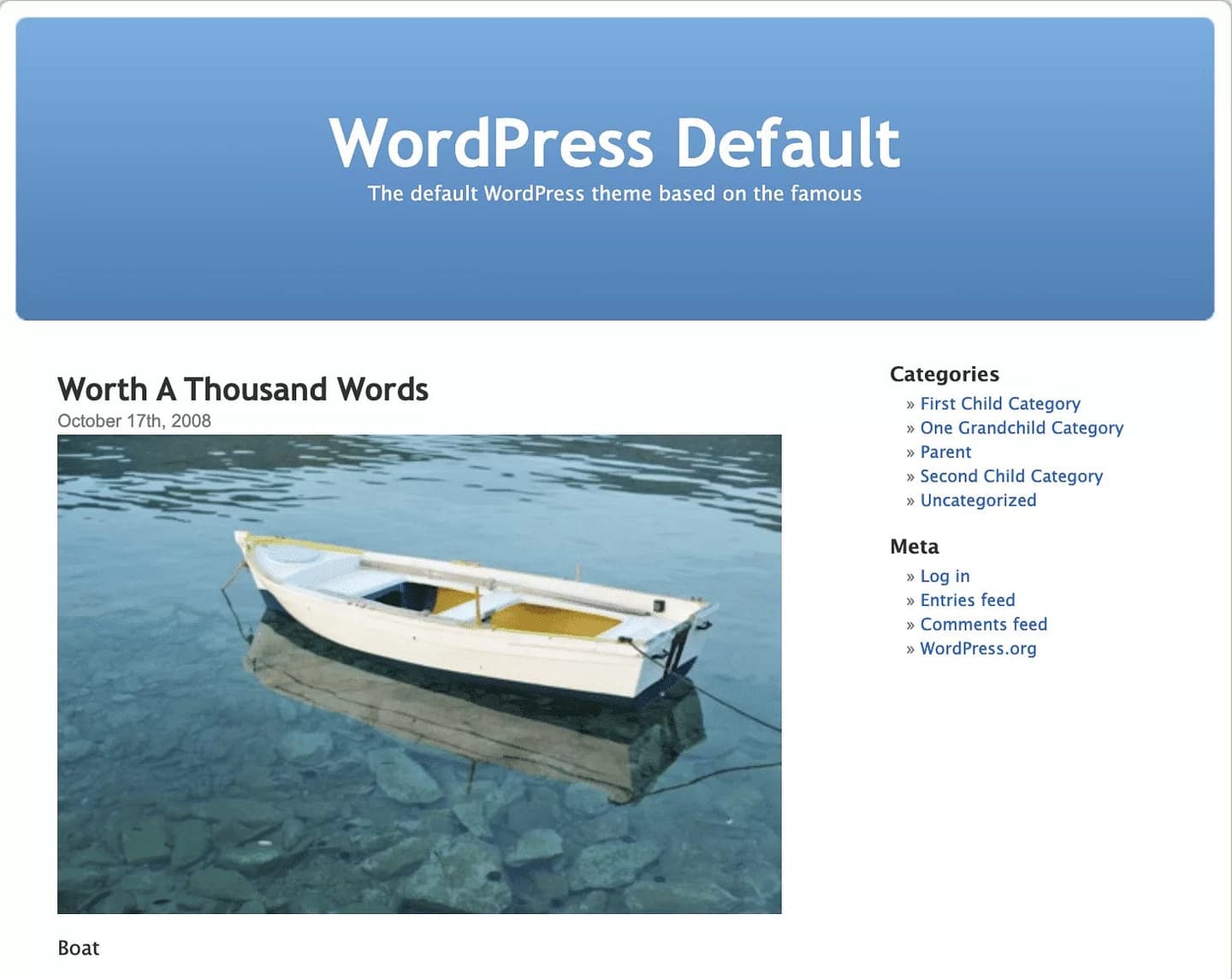
That separation is what lets non-technical people publish on a website without going through developers. It is the CMS: the Content Management System.
Modern CMSs (2006 to the 2010s)
WordPress makes slow sites, though, and running a server was still hard for most people.
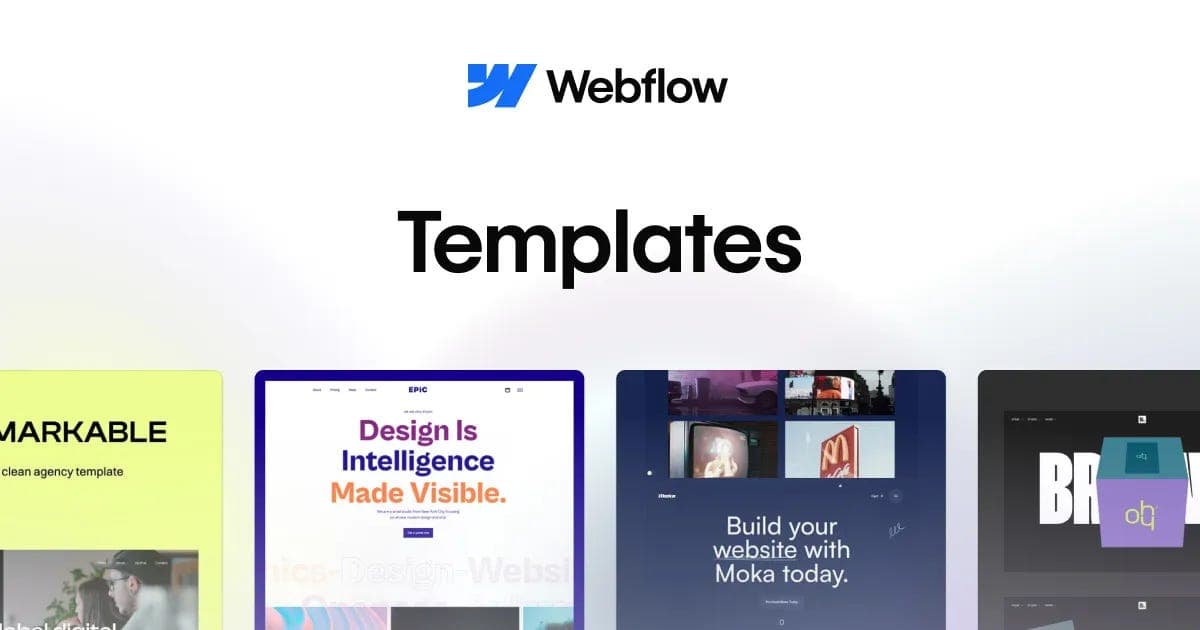
So faster, more modern tools appear that handle the server for you: Wix and Shopify in 2006, then Webflow in 2013. Same idea, a better experience for the person editing.
Headless CMSs and static sites (2010s onwards)
Then smartphone traffic explodes, loading speed matters even more, and the databases behind CMSs are judged too slow. Two new categories appear.
- The headless CMS. The front end and the back end are split again. Strapi, Contentful and Sanity work this way, and WordPress has a headless mode too. In plain words: the CMS keeps the content, and the site that shows it is separate code.
- The static site generator (SSG). Every page of the site is built in advance, so it shows up instantly, like in the 90s, but with modern tools (Astro, or frameworks like Next.js and Nuxt that can also do it). Think of it as printing every page once instead of assembling it each time someone opens it. Nobody waits for a database, because there is nothing left to assemble.
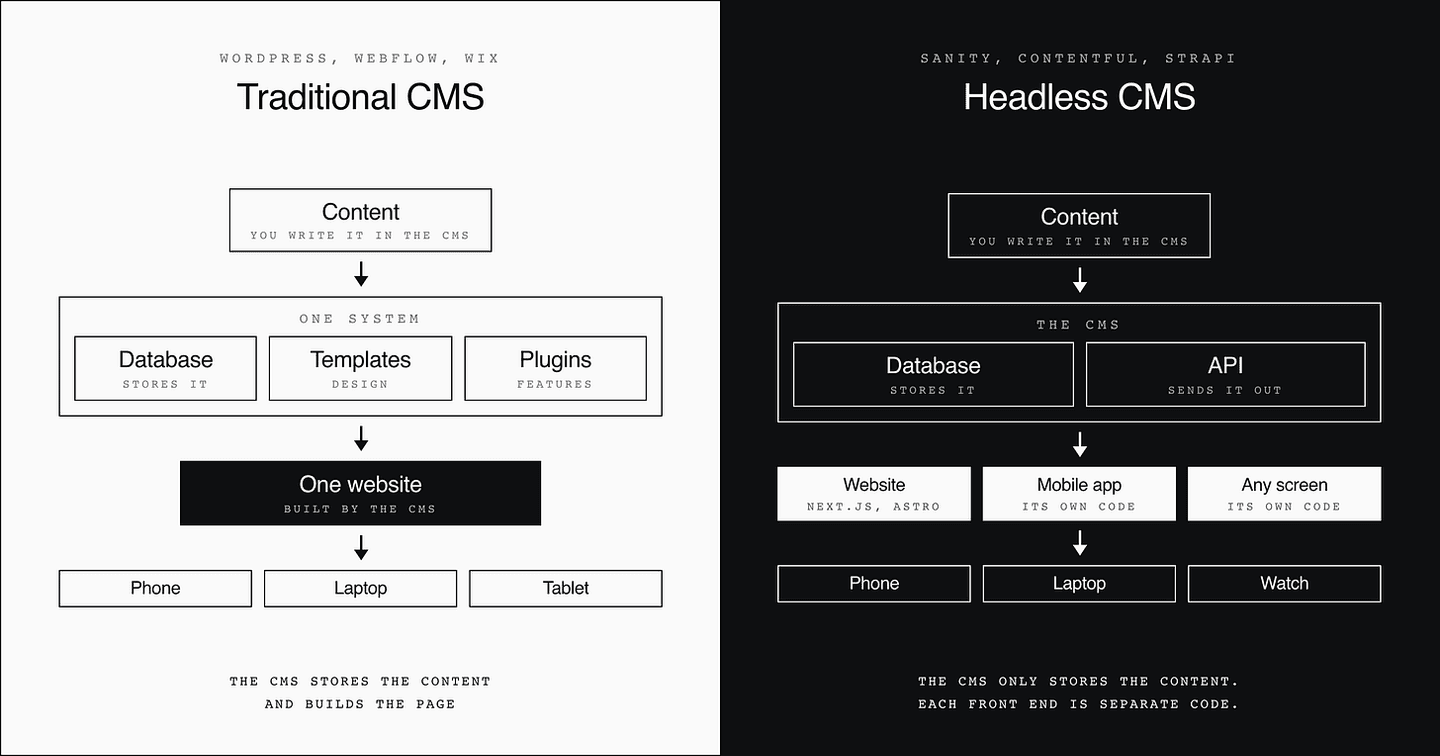
That is the core of headless CMS vs traditional CMS: in a traditional CMS, one system stores the content and builds the page. In a headless CMS, the system only stores the content, and every front end is its own code.
What AI changed for CMSs
Since AI arrived, the tools for managing websites have split into two groups.
1. The AI natives
These companies build their product around a chat, or rebuild it that way. The chat is the default experience. You can still change everything else, but the chat is the main thing, which makes them the closest to ChatGPT.
In this group:
- Site builders that need no experience. Lovable, the best known, says it passed $500M in annualized revenue in June, with a million new projects a week.
- AI code tools. For more experienced people, tools like Cursor, Claude and Codex let you work directly in all of your code and see a real interface.
2. The ones who had to adapt
- CMSs and headless CMSs. These companies kept their product as it was and added an MCP on top.
An MCP is a connector: you ask for the change in Claude or ChatGPT, and it lands in your CMS without anyone opening the CMS. Webflow and WordPress both have one. Webflow says over 30% of its enterprise customers use its MCP.
What I do today: a website without a CMS
For my own projects, I clearly prefer the first group, the AI natives. And for that, I do not even need a CMS.
To manage everything, AIs use a format from 2004 called Markdown. It is the format large language models (ChatGPT, Claude or local models) write in natively. It is plain text with a few symbols: instead of writing <h1>My title</h1>, you write # My title. A person can read it, and so can a machine.
Here is how Web Anatomy is set up:
- One part of the code is React, with the components and page templates (
/app). - The other part is Markdown files (MDX, to be exact), the format AIs use (
/content). - A knowledge base holds my best practices and history. I use Obsidian, but Notion works just as well. Also in Markdown, and linked to the site and the docs.
AGENTS.mdat the root of the project. The AI reads it before writing anything.
So when I ask for 10 product pages, the AI creates 10 Markdown files, registers them, applies the design and deploys them in a few minutes. The text gets the same rigor and the same automation as the code. In September 2026 that was 322 Markdown files on Web Anatomy, in English and French.
I can create thousands of pages, translate them instantly and change them fast. I still do not think this setup should become the default for everyone.
Do you need a CMS? Four questions to ask
I use the most agile setup I know for shipping and iterating on my own website. I would not recommend it to everyone. Ask these four questions before you go without a CMS, for your site or a client's:
1. Do you have external dependencies? If you need real-time data, a connected API like Firebase, or e-commerce where stock has to be live, you need a CMS or something custom.
2. How many pages do you have? You do not run a 20 to 30 page site the way you run one with thousands of pages. Past a few thousand, files get much harder to maintain. Sanity, a headless CMS, said it bluntly when Cursor moved its site to Markdown: those files "work for small datasets. It becomes a maintenance nightmare at scale."
3. Is your team comfortable with the format? Markdown is the common file between people, code and AI. But not everyone works in tech. A local business outside the AI bubble will not want to deal with this kind of interface, and would rather have one that is clear and easy to use.
4. Who has access to the website? This setup works when a small team touches the site. If every typo fix means a commit to GitHub, a build of all your code and a PR review, it is overkill. The point of the CMS was to give teams autonomy, and we should not go backwards on that.
Here is when I would pick each option:
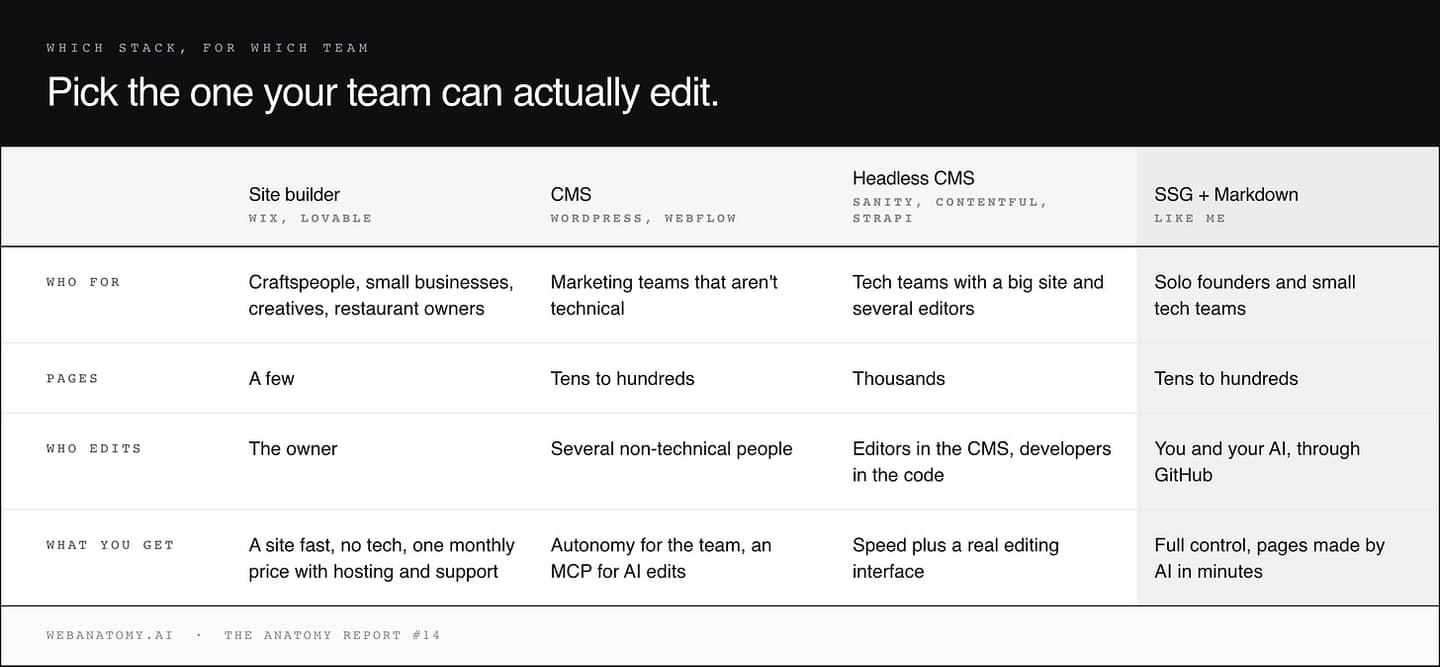
| Site builder | CMS | Headless CMS | SSG + Markdown | |
|---|---|---|---|---|
| Examples | Wix, Lovable | WordPress, Webflow | Sanity, Contentful, Strapi | Astro, Next.js |
| Who for | Craftspeople, small businesses, restaurant owners | Marketing teams that are not technical | Tech teams with a big site and several editors | Solo founders and small tech teams |
| Pages | A few | Tens to hundreds | Thousands | Tens to hundreds |
| Who edits | The owner | Several non-technical people | Editors in the CMS, developers in the code | You and your AI, through GitHub |
| What you get | A site fast, one monthly price with hosting | Autonomy for the team, an MCP for AI edits | Speed plus a real editing interface | Full control, pages made by AI in minutes |
One more criterion on the side: many CMSs and headless CMSs now have an MCP, so even the team on a traditional CMS can change content in plain language from a chat.
The website matters more than ever, and it goes well beyond a "brochure" site. Pick the stack your team can actually edit.
Find revenue opportunities for your website, backed by real data. Get your 3 free opportunities by email.
Adapted from CMS, headless CMS or nothing?, originally published in the Web Anatomy newsletter on September 23, 2026.

Written by
Gabriel Amzallag , Founder, Web Anatomy
5 years CRO + SEO at Qonto (2021–2025). After advising 15+ SaaS on their websites (Payfit, Pigment…), the same patterns kept breaking, so I decided to build the source of truth on what works on the web: the intelligence layer every tool, builder, and team uses to ship sites that perform.
More from the blog
Playbooks
We analyzed the ads the top HR tech companies run. Here is what works.
Which HR tech ads kept running in 2026, the eight angles they use, and the pages behind them. The takeaways, with the ads to look at.
 Gabriel Amzallag26 min read
Playbooks
We analyzed the ads the top marketing software companies run. Here is what works.
Which marketing software ads keep running in 2026, the angles they use, and the pages behind them. Seven angles that work, five almost nobody runs.
Gabriel Amzallag23 min readGuides
Programmatic SEO: a practical guide from 10 city pages to 300
How Staycation went from 10 hand-made city pages to 300 with programmatic SEO, and grew purchases from search by 90%: how to find your topics, four rules, the template, and how to produce and measure the pages.
Gabriel Amzallag12 min read