Grounded in real pages
Every suggestion points to a real, high-performing website your agent can show you, so you trust the recommendation.
Web Anatomy MCP
Give Claude, Cursor or Codex the scored sections and pages behind every opportunity.
Included in Pro · 950+ real companies · Claude · Cursor · Codex
Most AI pages are averaged from training data. Web Anatomy grounds your agent in what the best websites actually shipped.
Without Web Anatomy
> design our pricing page
// generic, averaged from training data
With Web Anatomy
Design our pricing page.
Based on best practices for your industry and ICP, it pulls the pricing cards that performed:
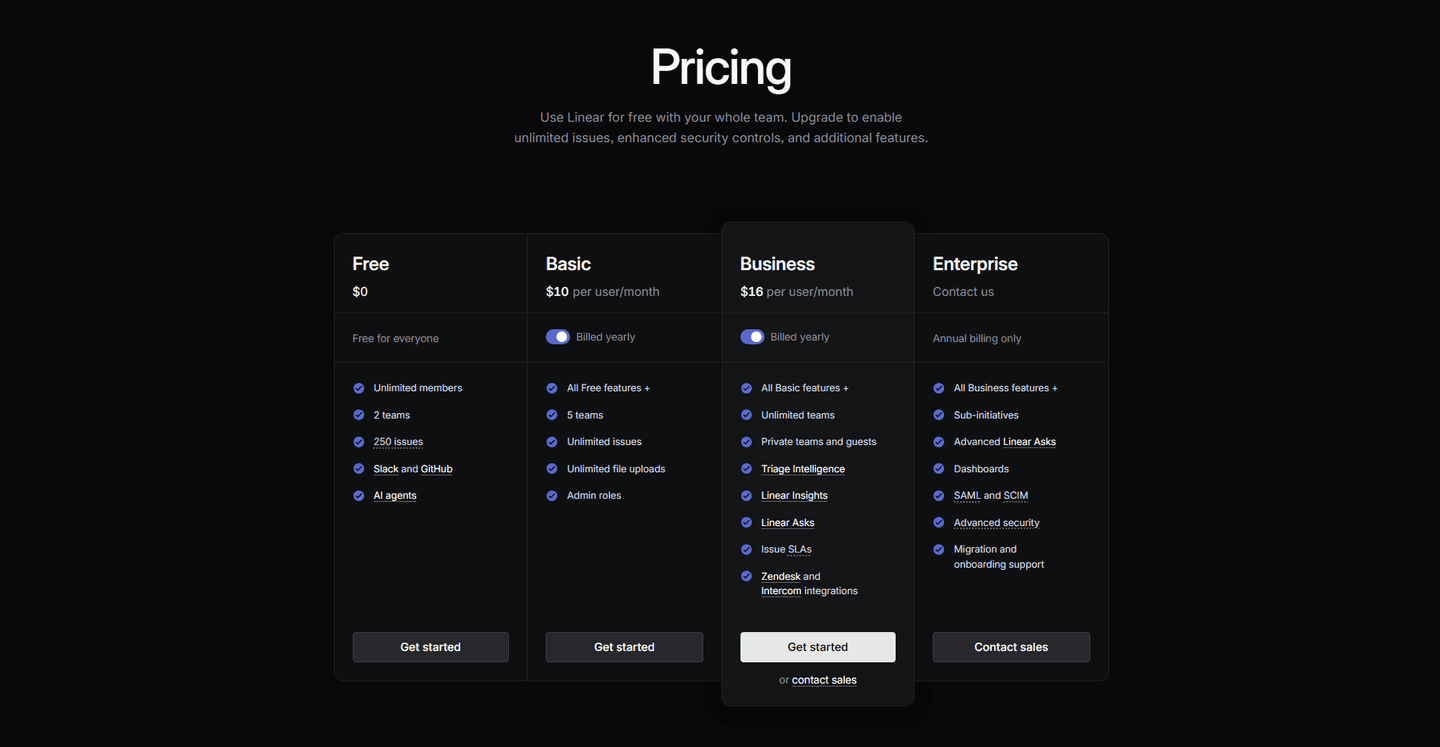
Highlighted "Business" card anchors the recommended plan.
+ Raycast, Clay
Connect to Claude, Cursor, or any MCP-compatible client
Connect MCPWhy use it
Every suggestion points to a real, high-performing website your agent can show you, so you trust the recommendation.
Find proven hero, pricing, CTA, and FAQ patterns by industry in seconds, instead of starting from an empty section.
No new app to learn. It works in Claude, Cursor, Codex, and any agent that speaks MCP, right where you already build.
Turn the findings into a clean report or a prioritized fix list you can act on or hand to whoever owns the code.
What your agent can do
Use the MCP when your agent needs real website evidence before it recommends, edits, or writes.
Ask for hero, pricing, FAQ, comparison, or signup examples filtered by industry and locale.
Example prompt
Find AI hero examples with strong social proof.
Paste your section or screenshot and ask your agent to compare it against stronger examples before editing copy or layout.
Example prompt
Improve this pricing table using Web Anatomy examples.
Give your agent a live page or screenshot and ask for gaps, stronger references, and prioritized fixes.
Example prompt
Benchmark our homepage against top AI landing pages.
Ask for the output in chat, a Markdown file, or an HTML report so your team can act on it.
Example prompt
Create a short .md report with examples and fixes.
Available where you work
Add Web Anatomy to your coding agent in a couple of minutes. The full per-IDE guides live in the docs.
One command at user scope. The recommended setup.
Setup guideAdd the server to your ~/.cursor/mcp.json.
Setup guideWindsurf, VS Code, Codex, Gemini CLI, and any other MCP client are covered in the documentation. Read the documentation.
In the MCP dashboard, as soon as your Pro subscription is active. There is no review queue. The install prompt is customized with that one-time token.
Keep it in ignored local config, such as an env var or $HOME/.webanatomy/webanatomy_mcp_token. Do not commit it.
It returns public-safe benchmark sections, filters, and selected section details. It does not return raw scores, marker coordinates, service-role access, or internal database fields.
Claude, Cursor, Codex, or any coding agent that can configure an MCP server through mcp-remote. The dashboard gives you the exact command for yours.
Keep using visual libraries for browsing. Web Anatomy is for grounding your coding agent in benchmark-backed examples it can call while working.
Get started
Connect Web Anatomy to the agent you already use and it builds from real pages instead of training-data averages. Included in Pro.